Everything TorqueHQ does

Built around how a workshop actually runs, from the car coming in to the money coming in.

TorqueHQ is in testing with selected workshops. WhatsApp +64 21 102 2043 or email us to get access.

Jobs and the workshop floor

See where every car is, and what is waiting on whom.

Job board

Booked, in the workshop, and ready, in one view. Move a car along with one tap.

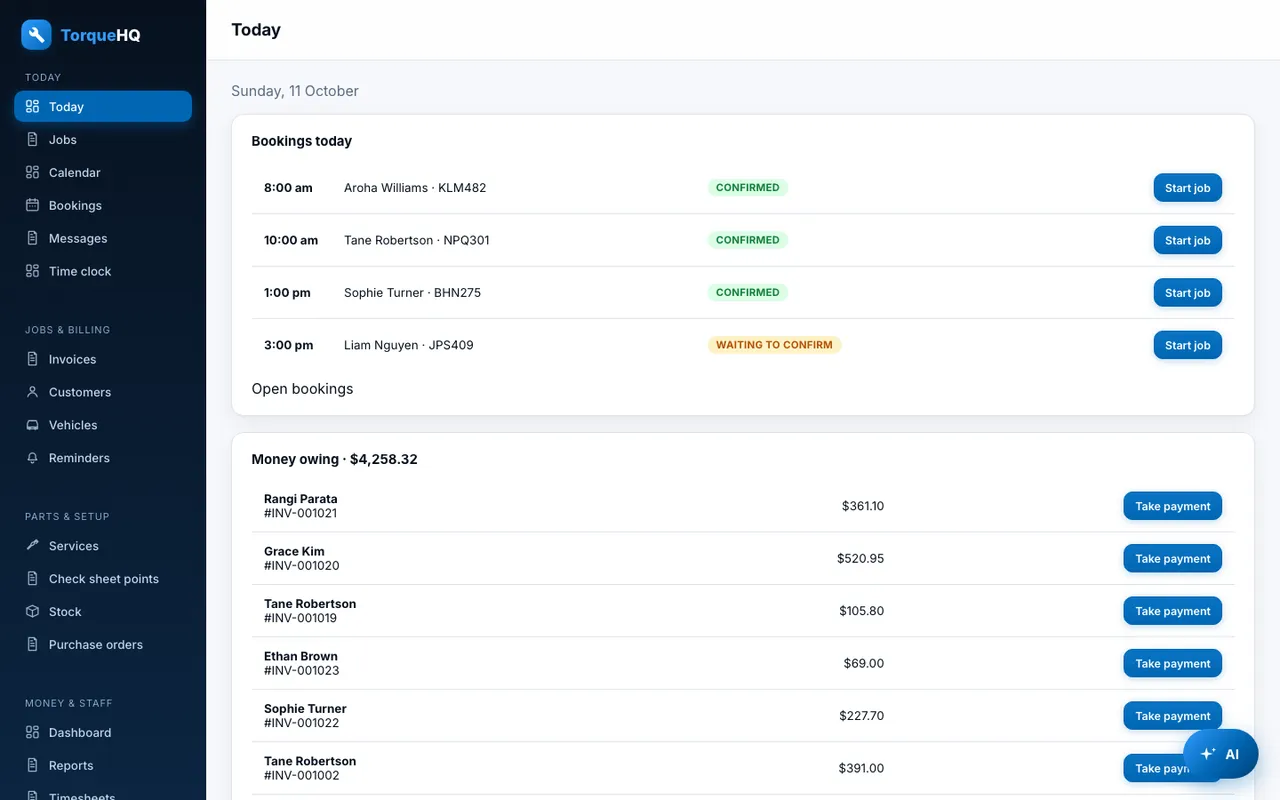
Today screen

Today's bookings, money still owing, invoices started today, and low stock, on one screen.

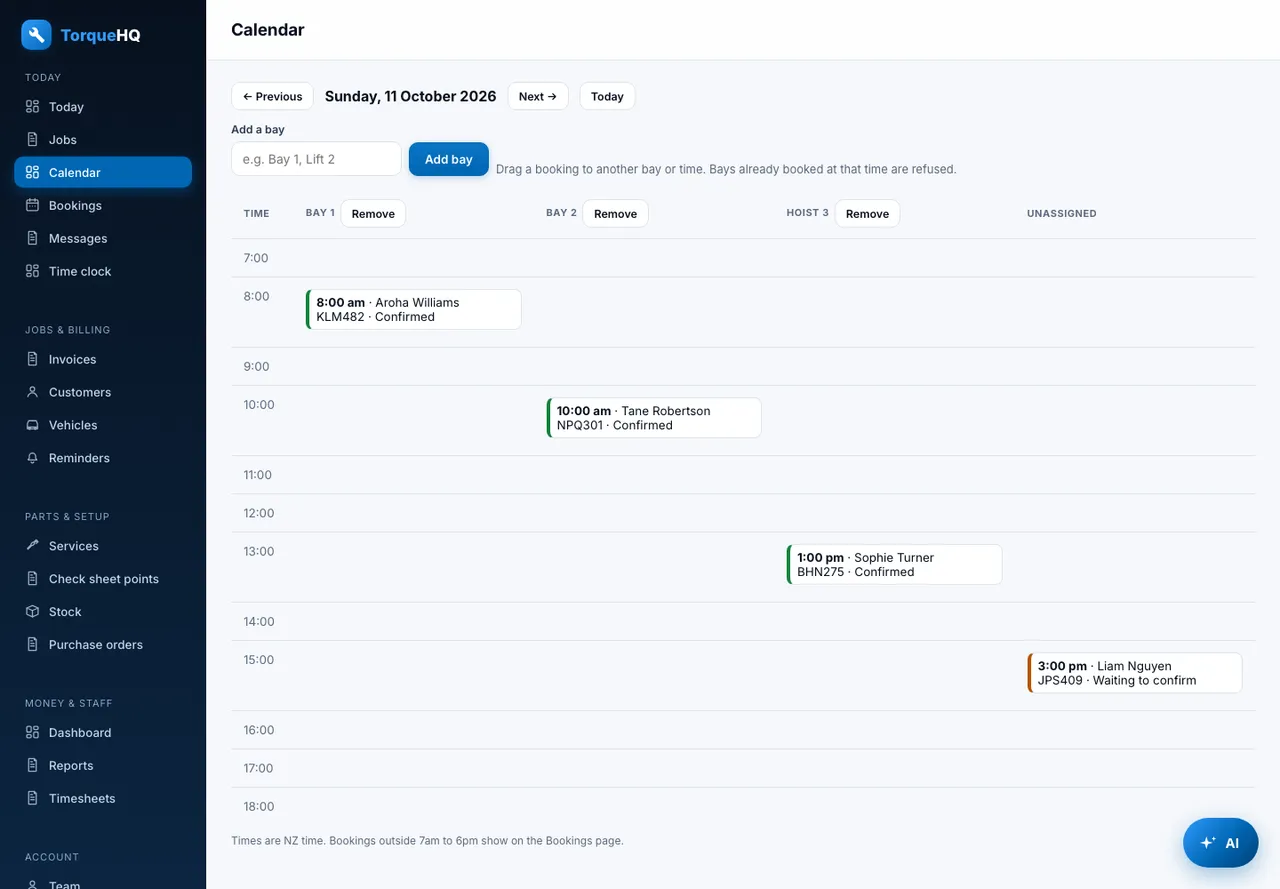
Bay calendar

A day view with a column per bay. Drag a booking to another bay or time. A double-booked bay is refused.

Job cards

Start a job from a booking, with the rego and customer filled in.

Job templates

Save the usual work for an oil change or a WOF as a template, and drop it onto a job or invoice in one go.

Deferred work

Park work the customer will come back for, and add it to a later invoice for the same vehicle.

Quote approval by link

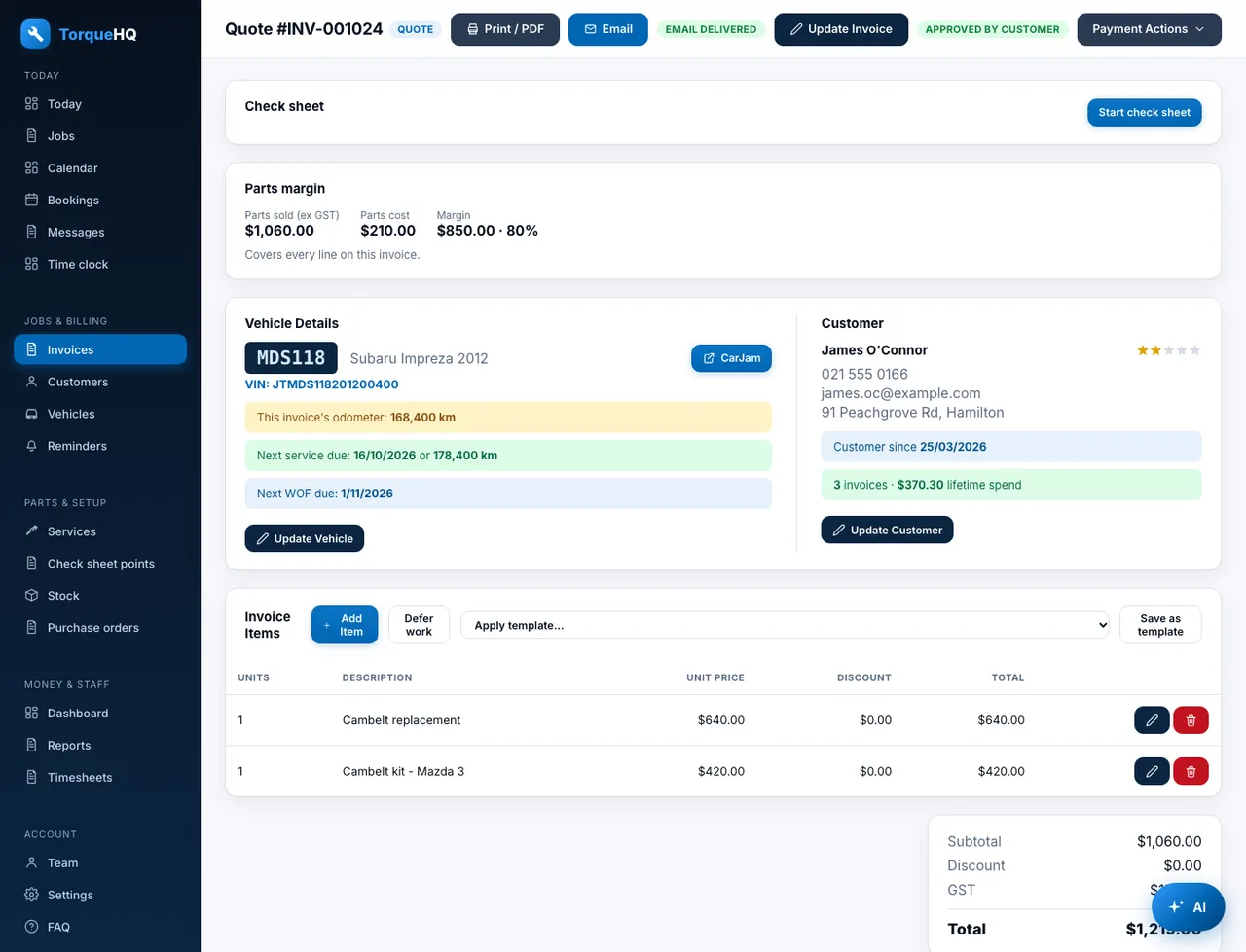
Send a quote by email or text. The customer approves it on a page with no login, and you see the approval time.
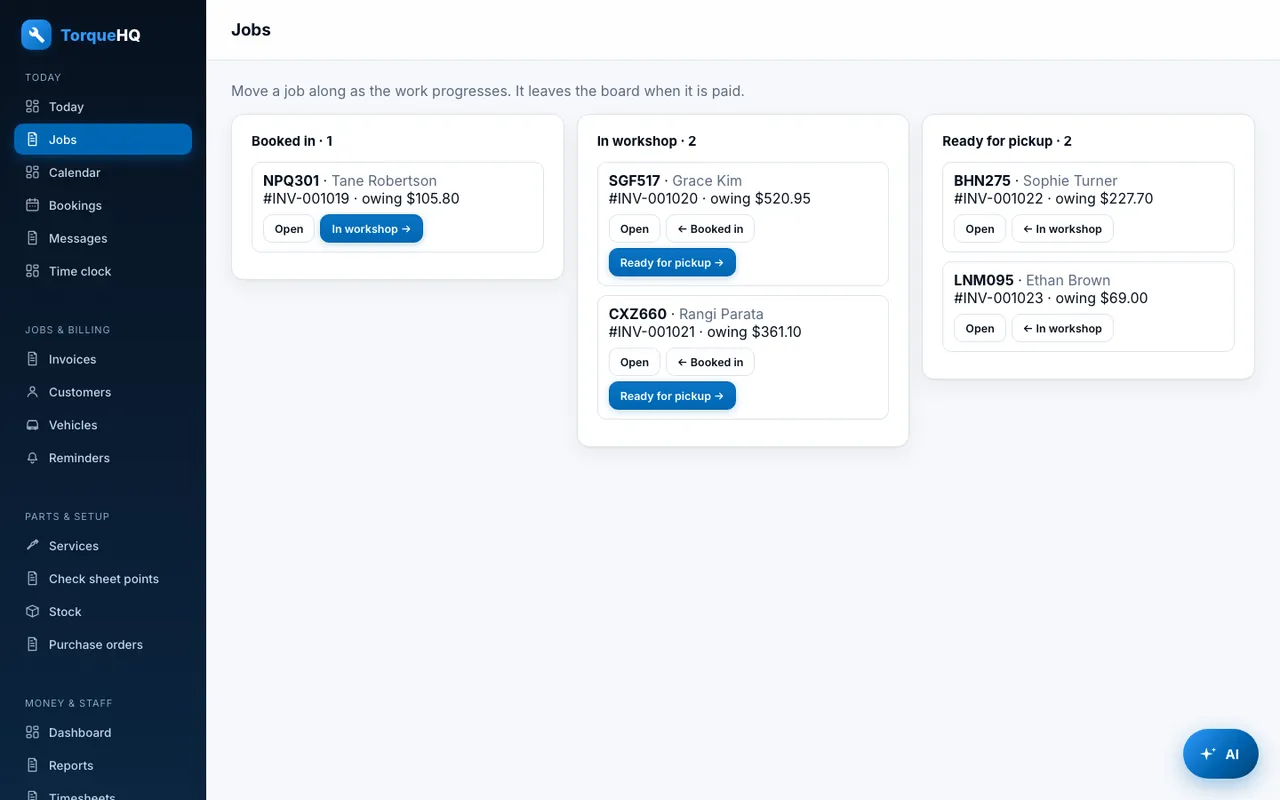
Job board: Booked in, in the workshop, ready for pickup.
Job board. Booked in, in the workshop, ready for pickup.
Bay calendar: A column per bay. Drag a booking to move it.
Bay calendar. A column per bay. Drag a booking to move it.

Invoicing and payments

GST-ready invoices, quotes and credits, and every payment recorded.

GST invoices and quotes

Branded PDF invoices with your GST number, bank details and logo. Quotes, part-paid invoices and credit notes.

Take payment in two taps

Record cash, EFTPOS, bank transfer or cheque. Or send a card payment link through Stripe.

Refunds and reversals

Record a refund or reversed payment with a reason. Reports take it off the money received.

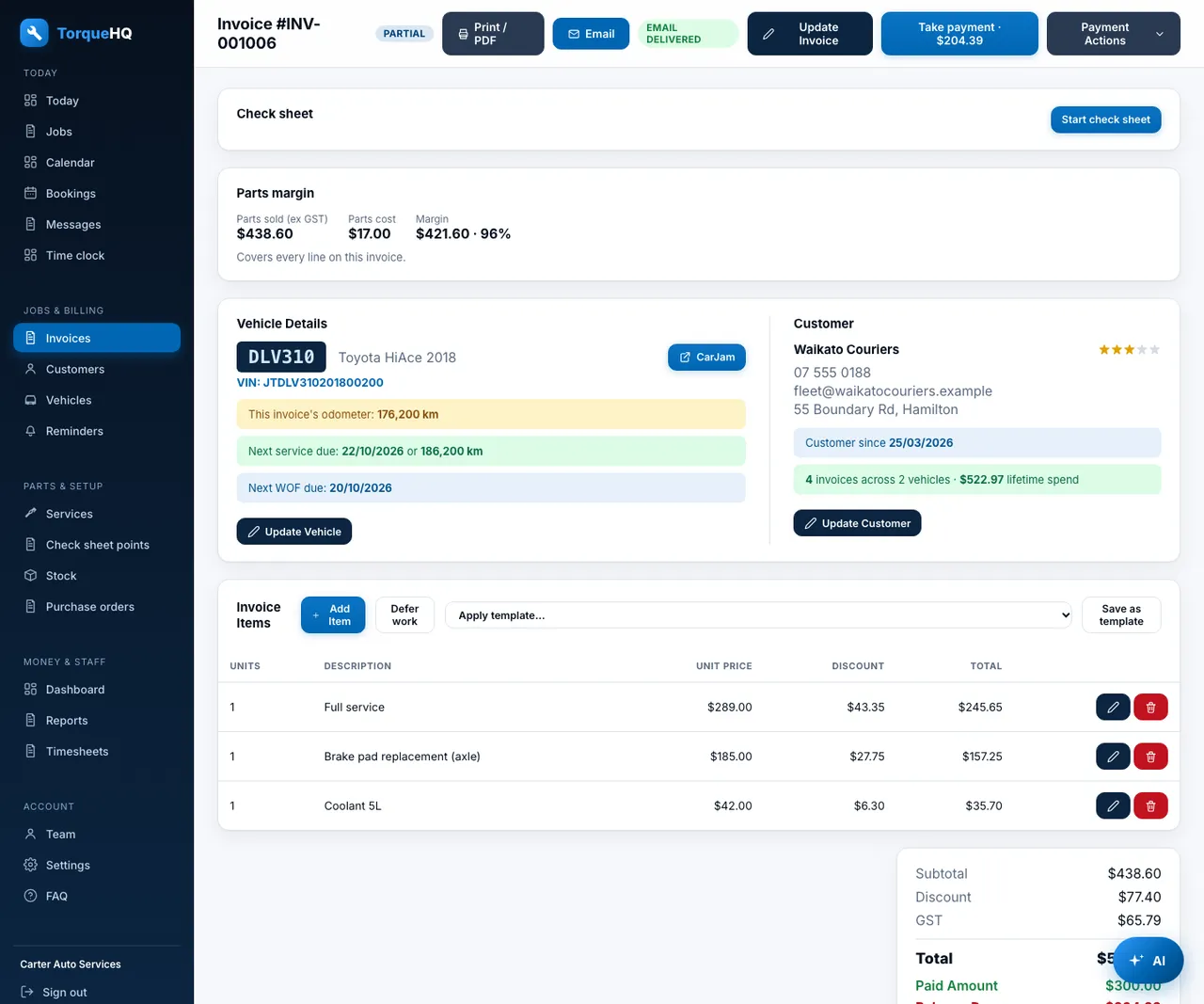
Parts margin

Cost is captured on each part at the time it is added, so you can see margin on every invoice.

Account customers

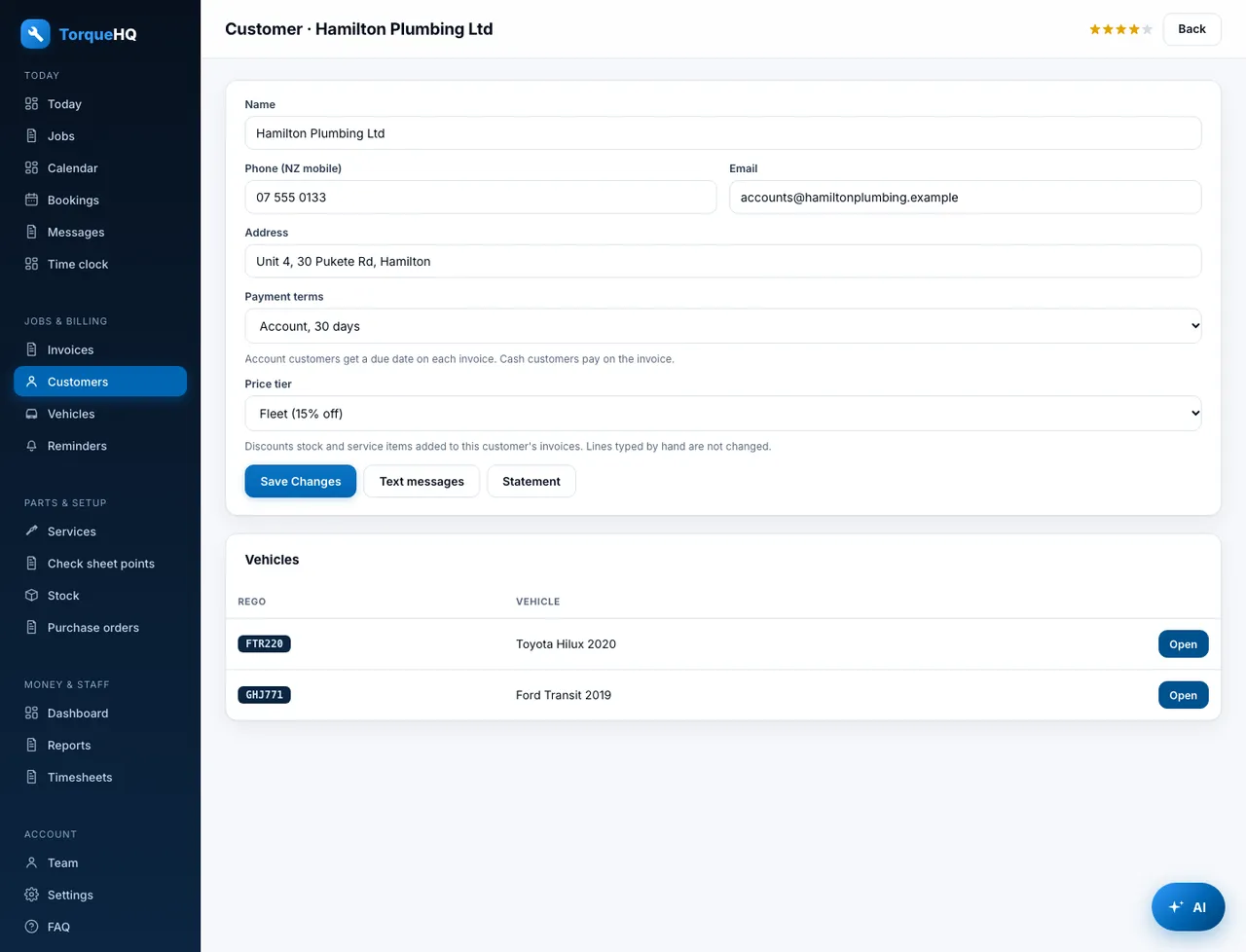
Give trade and fleet customers payment terms: on receipt, 7, 14 or 30 days. Each invoice gets a due date.

Price tiers

Retail, trade, wholesale and fleet. Stock and service lines get the customer's tier discount automatically.

Xero

Send invoices and payments to your Xero organisation.

Payment QR on the PDF

Each emailed or printed invoice carries a QR code that opens the card payment page.

Customer statements

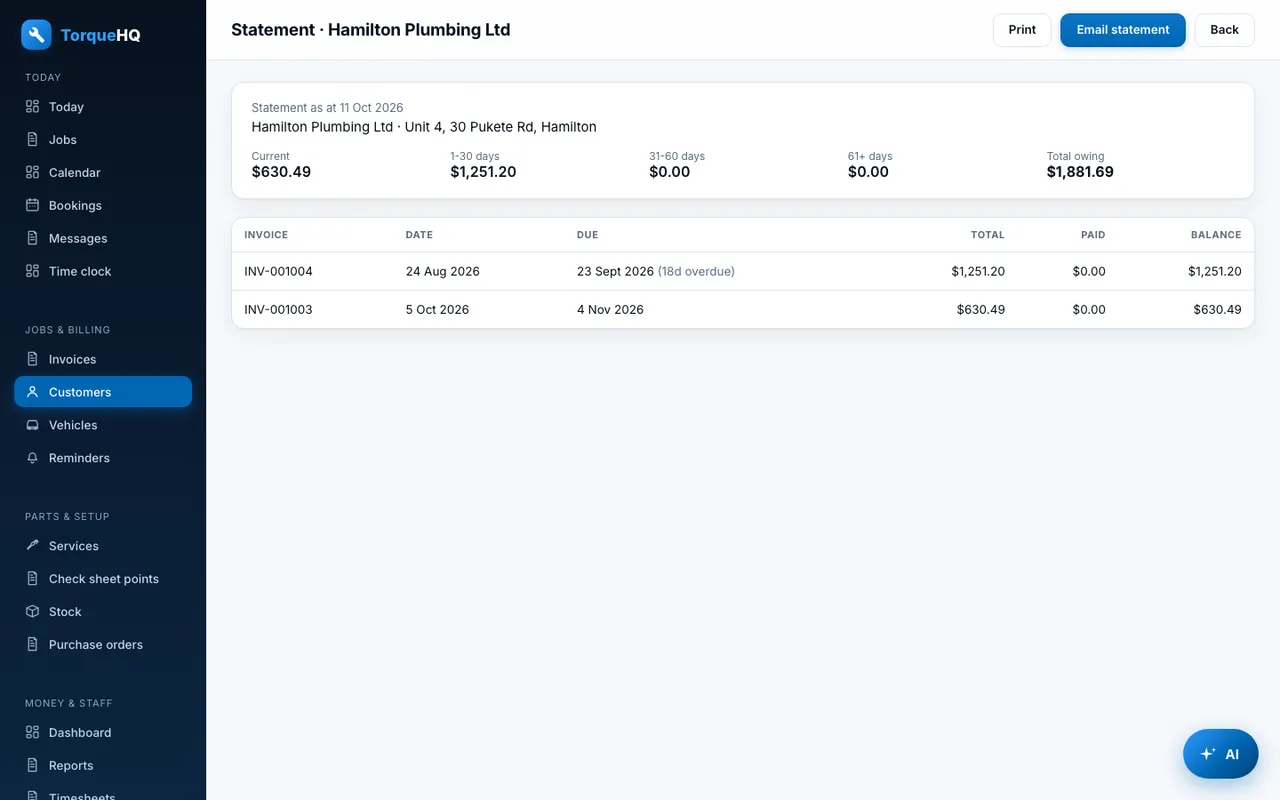
A statement for any customer showing every unpaid invoice and how overdue it is.

Invoice: Items, margin, vehicle details and take-payment actions.
Invoice. Items, margin, vehicle details and take-payment actions.
Quote: Quotes the customer can approve by link.
Quote. Quotes the customer can approve by link.

Customers and vehicles

Every car keeps its own history.

Rego and VIN lookup

Enter a rego or VIN and the make, model and year fill in. Vehicle lookups use CarJam.

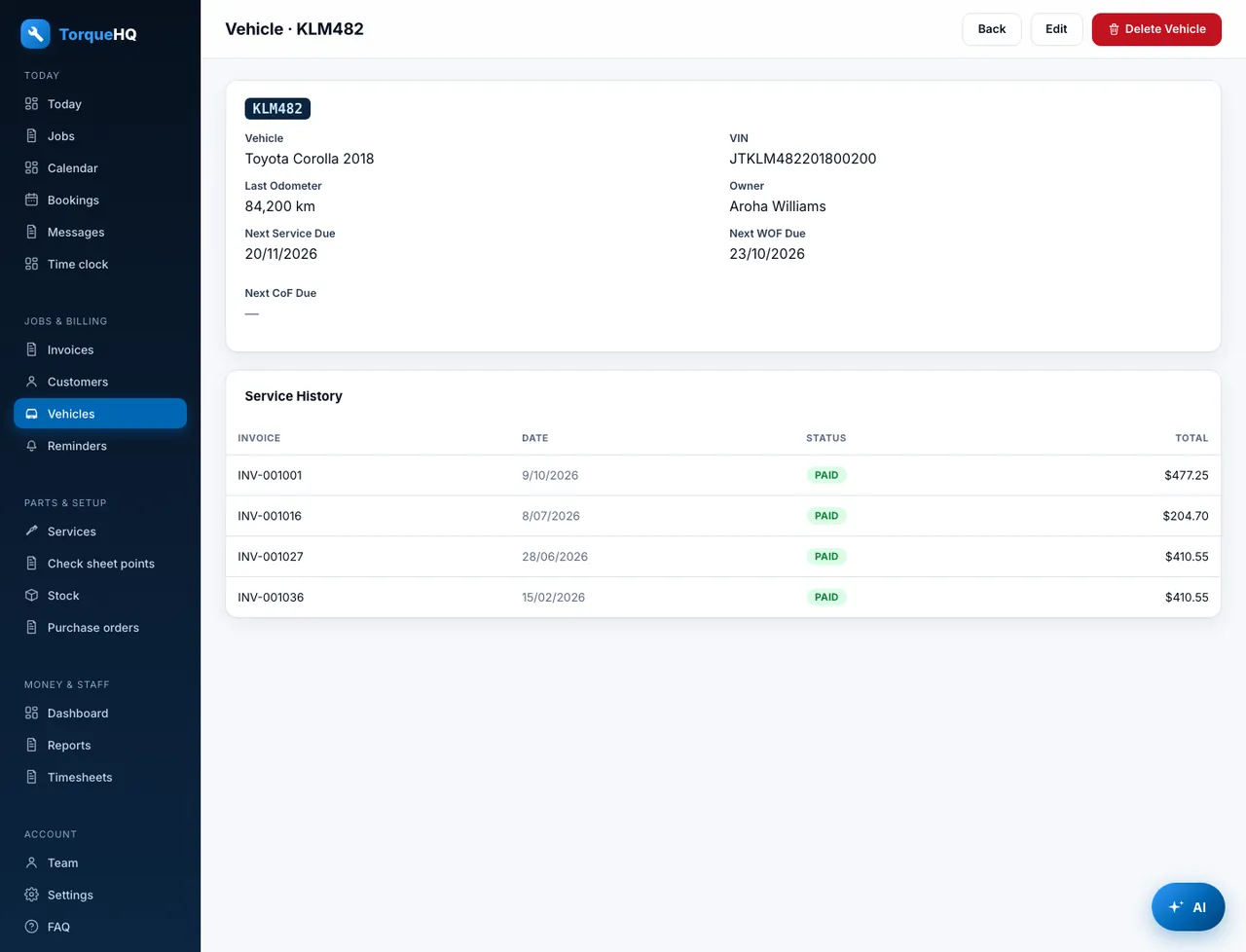
Service and invoice history

Each vehicle and customer shows past work, invoices and returning-customer status.

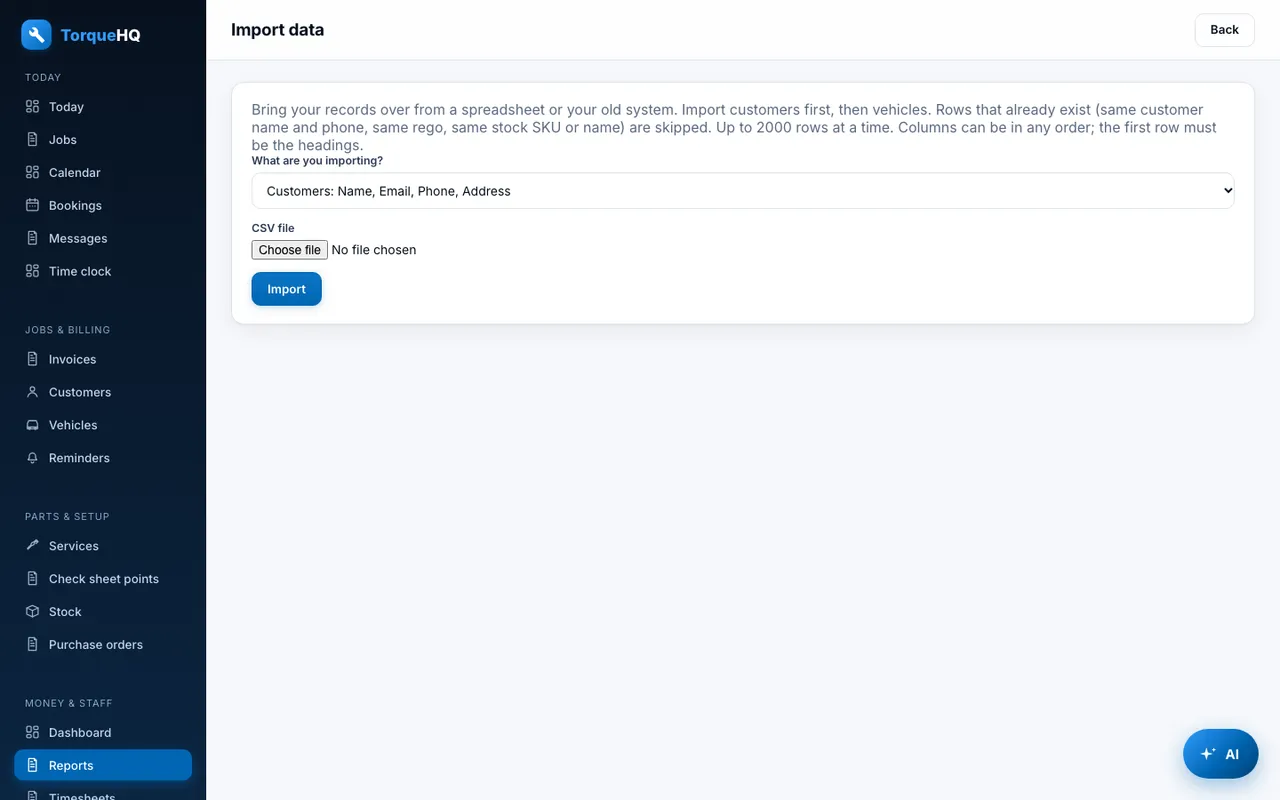
CSV import

Bring customers, vehicles and stock across from your old system with a CSV file.

WOF and CoF due dates

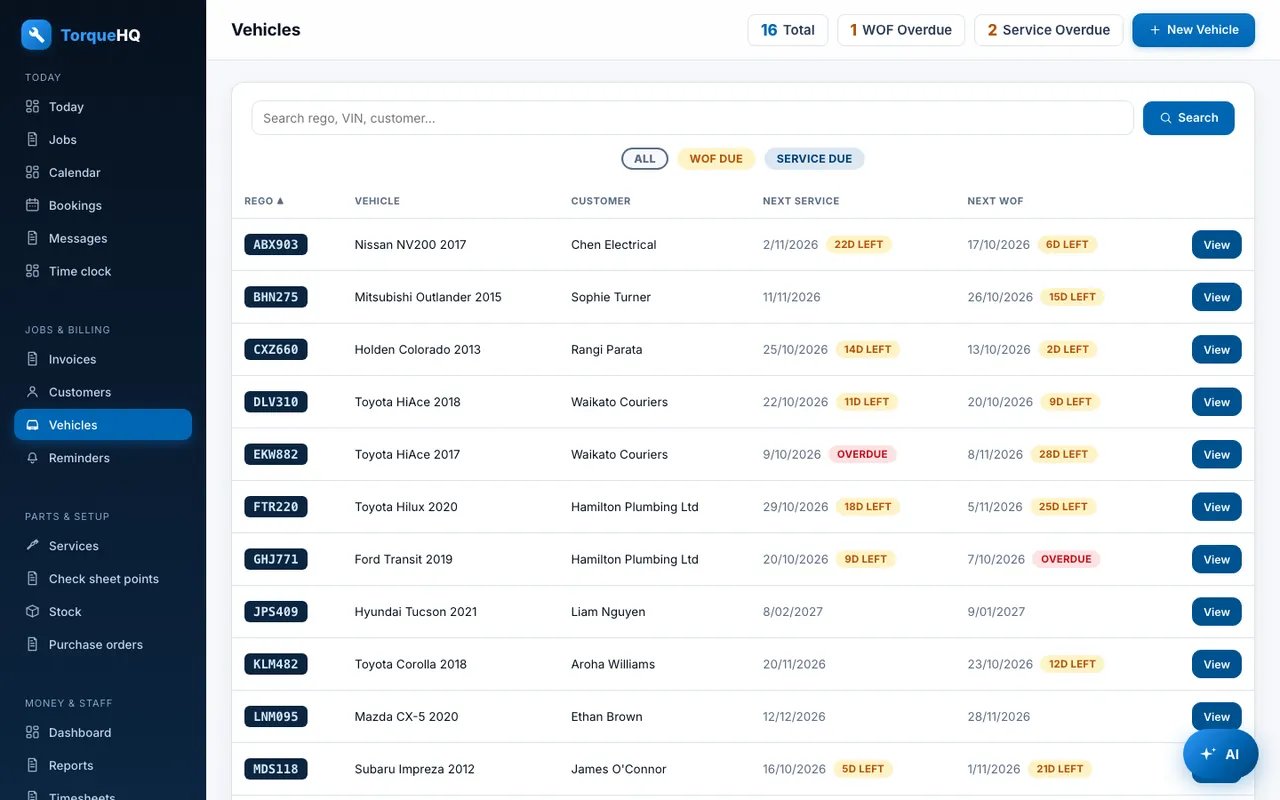
Track the next WOF and CoF for every vehicle, and see what is due soon.

Duplicate warnings

Adding a customer or rego that already exists? You are warned before a double is created.

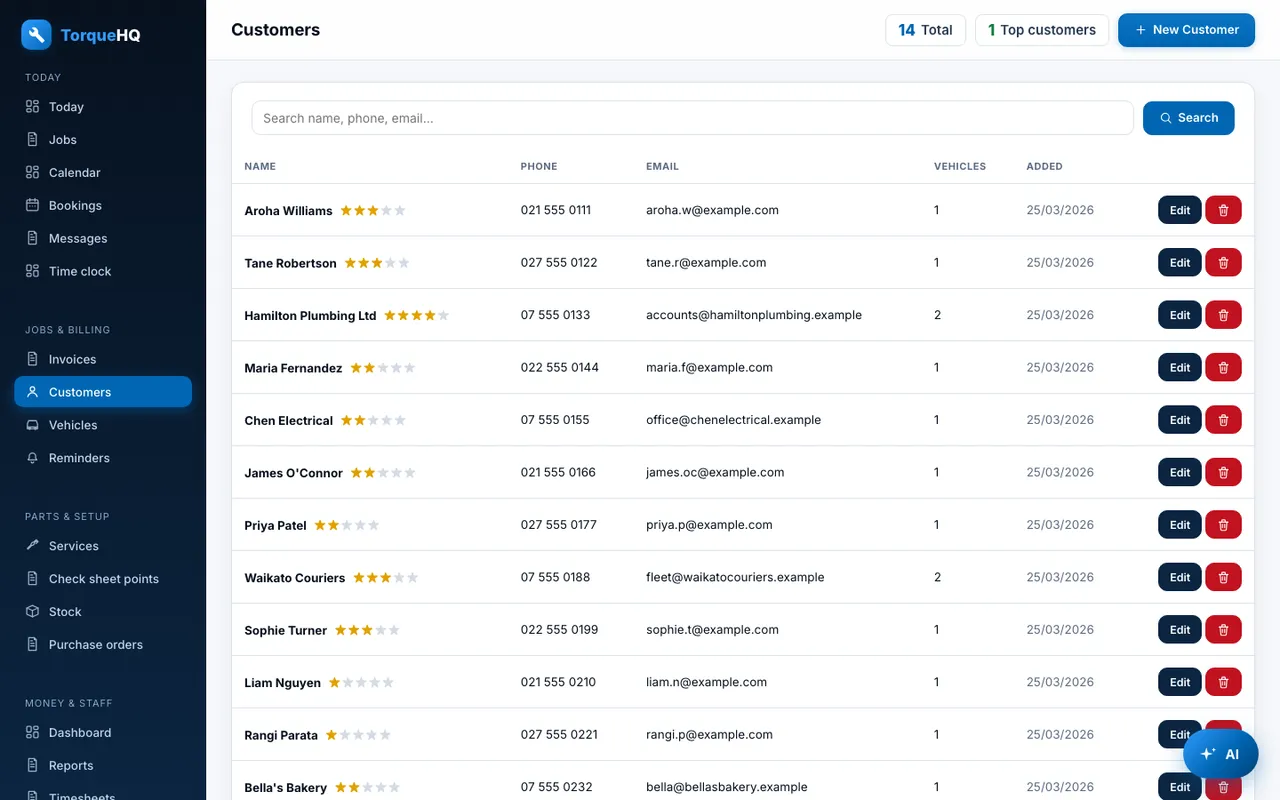
Customer star ratings

Regulars earn one to five stars from how often they visit and how much they spend, so you know who to look after.

Customers: Search, star ratings and price tiers.
Customers. Search, star ratings and price tiers.
Vehicle: Full service and invoice history for one car.
Vehicle. Full service and invoice history for one car.

Check sheets

A digital check sheet on every job, with photos.

Standard check points

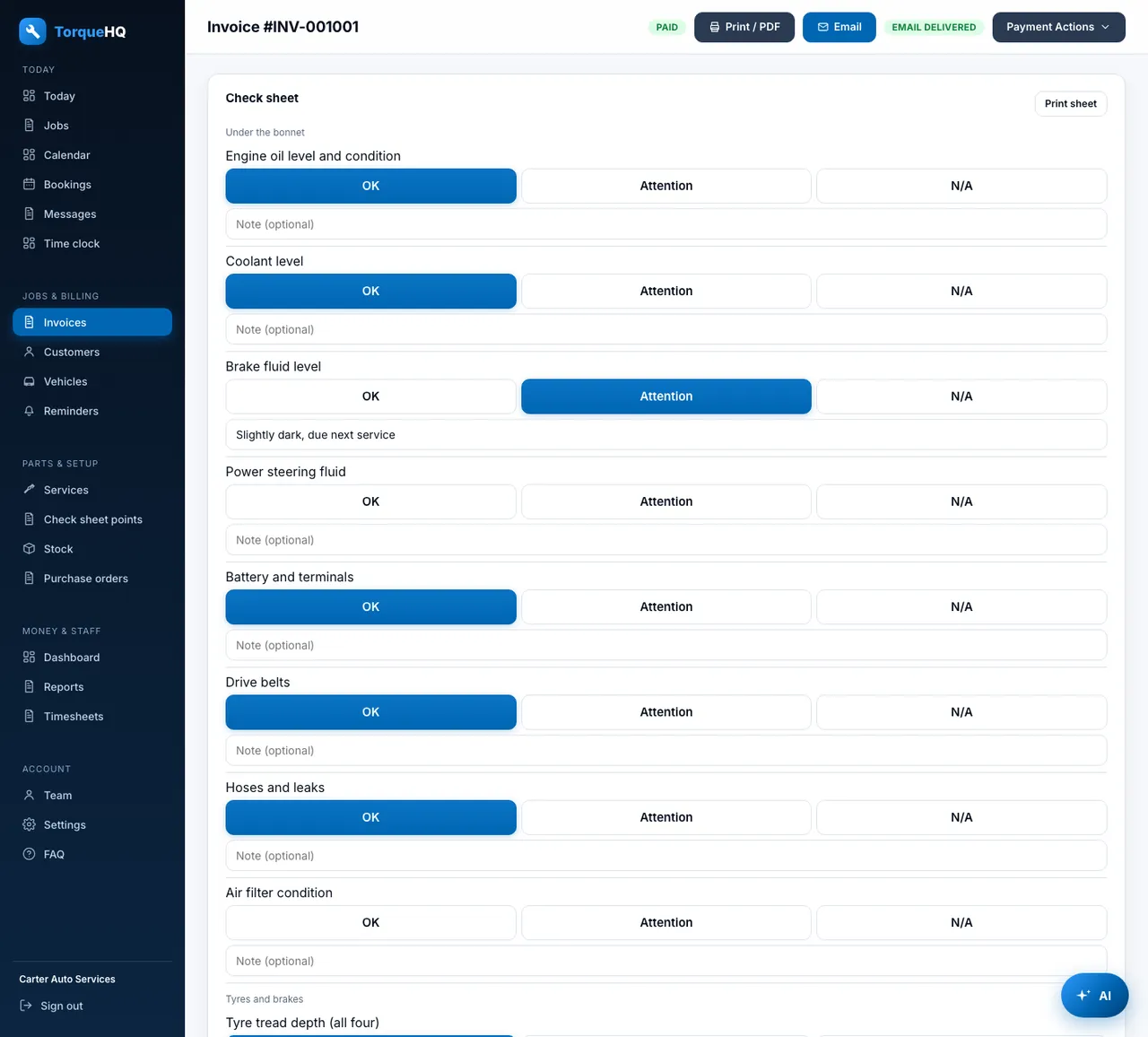
22 points in five groups, from the bonnet to the dash: OK, attention or N/A, with a note on each.

Your own points

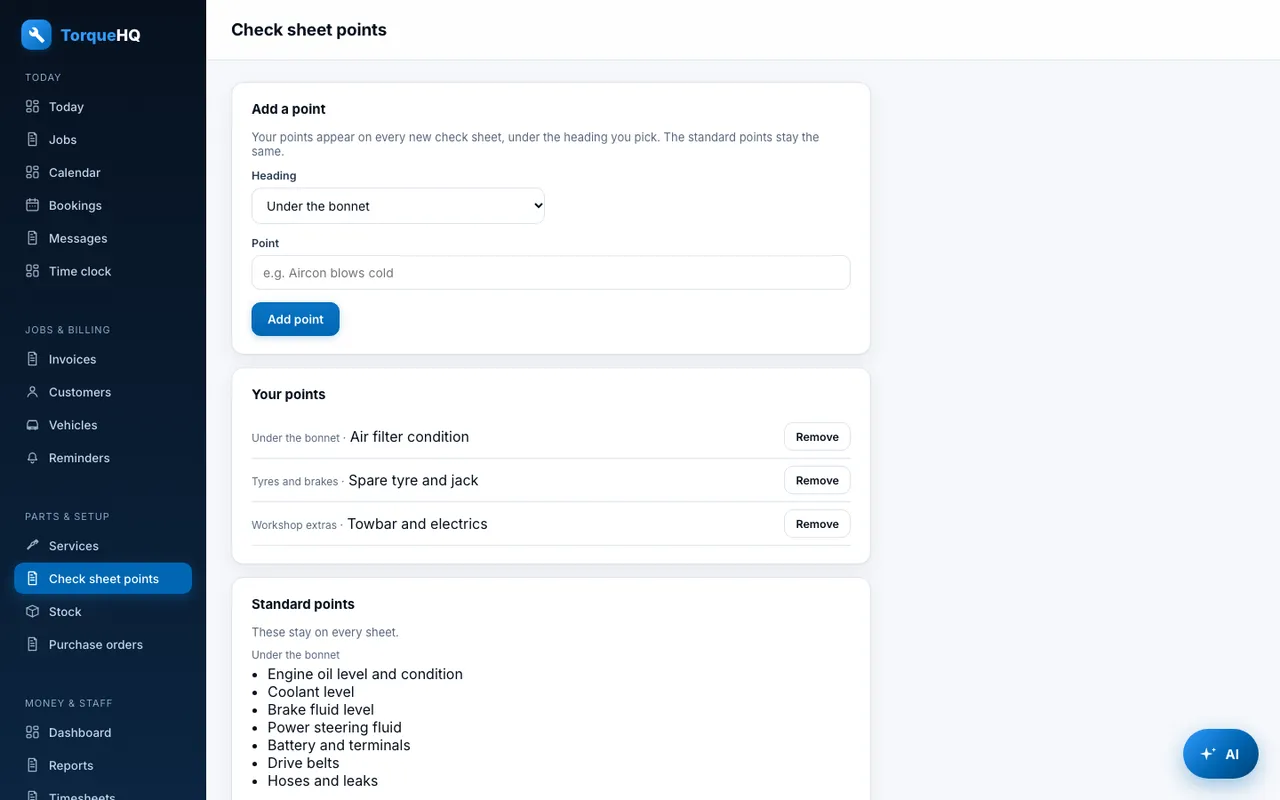
Add points that suit your workshop under a standard heading or a new one.

Photos

Attach photos from your phone's camera to the check sheet, and print the sheet with them.

Check sheet: OK, attention or N/A on every point, with photos.
Check sheet. OK, attention or N/A on every point, with photos.
Check sheet points: Add your own points to the standard 22.
Check sheet points. Add your own points to the standard 22.

Reminders and texts

Customers hear from you without you chasing them.

WOF and service reminders

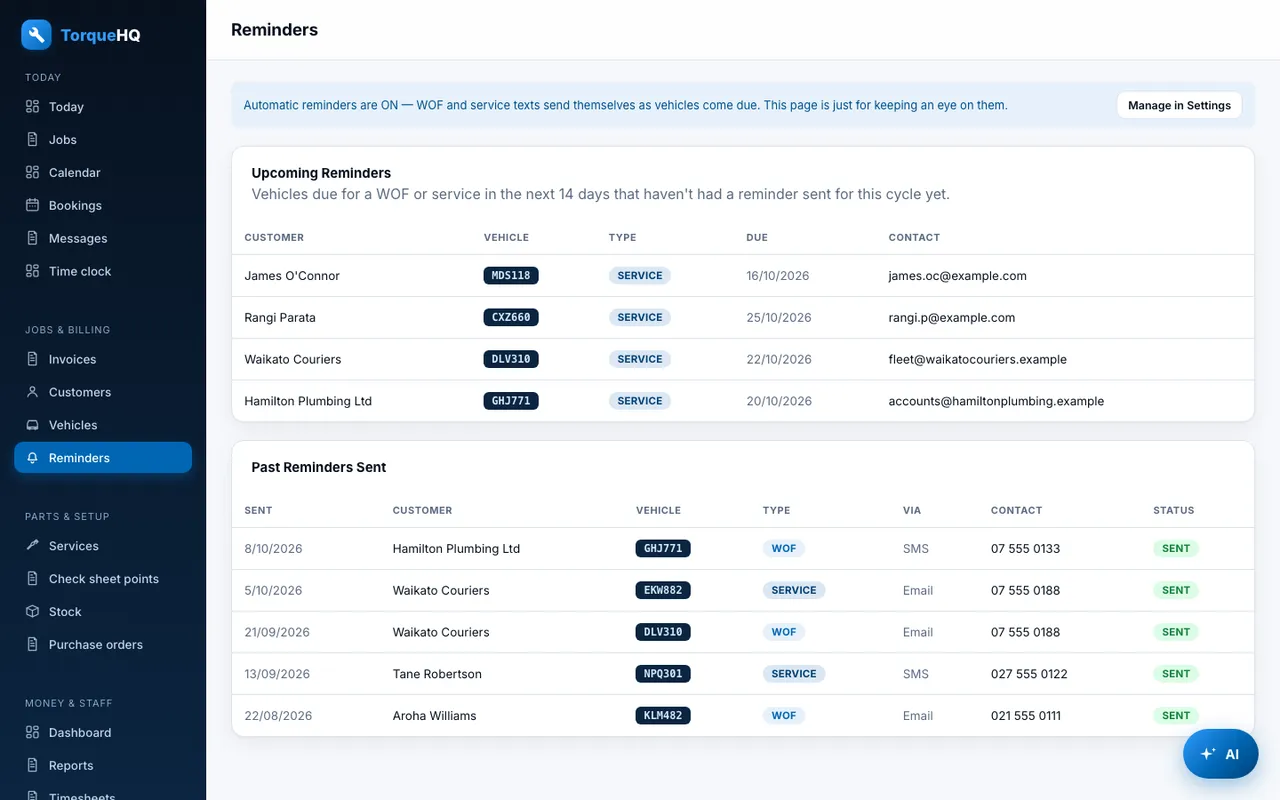
Text reminders go out as each vehicle comes due, within your monthly SMS allowance.

CoF reminders

The same for Certificate of Fitness dates, once per due date.

Booking reminders

A text the day before each booking, with a call-back number.

Two-way texts

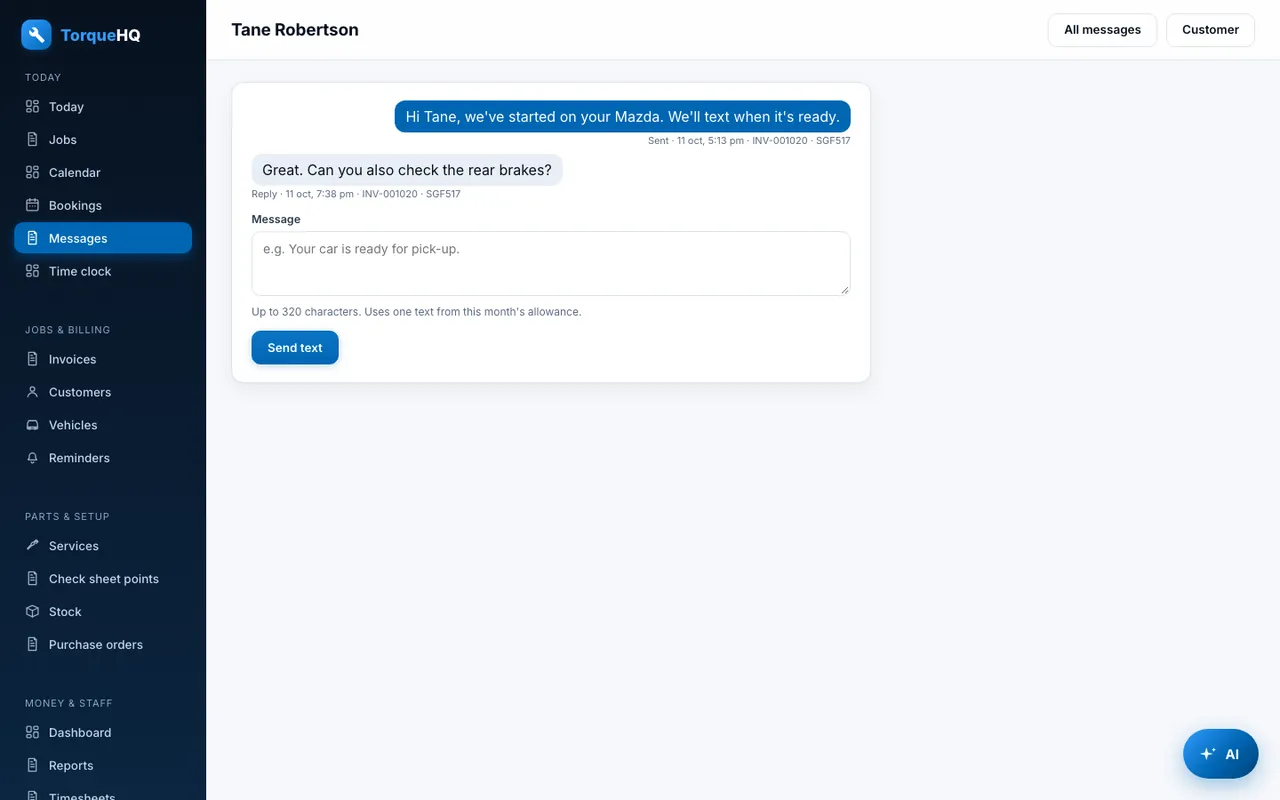
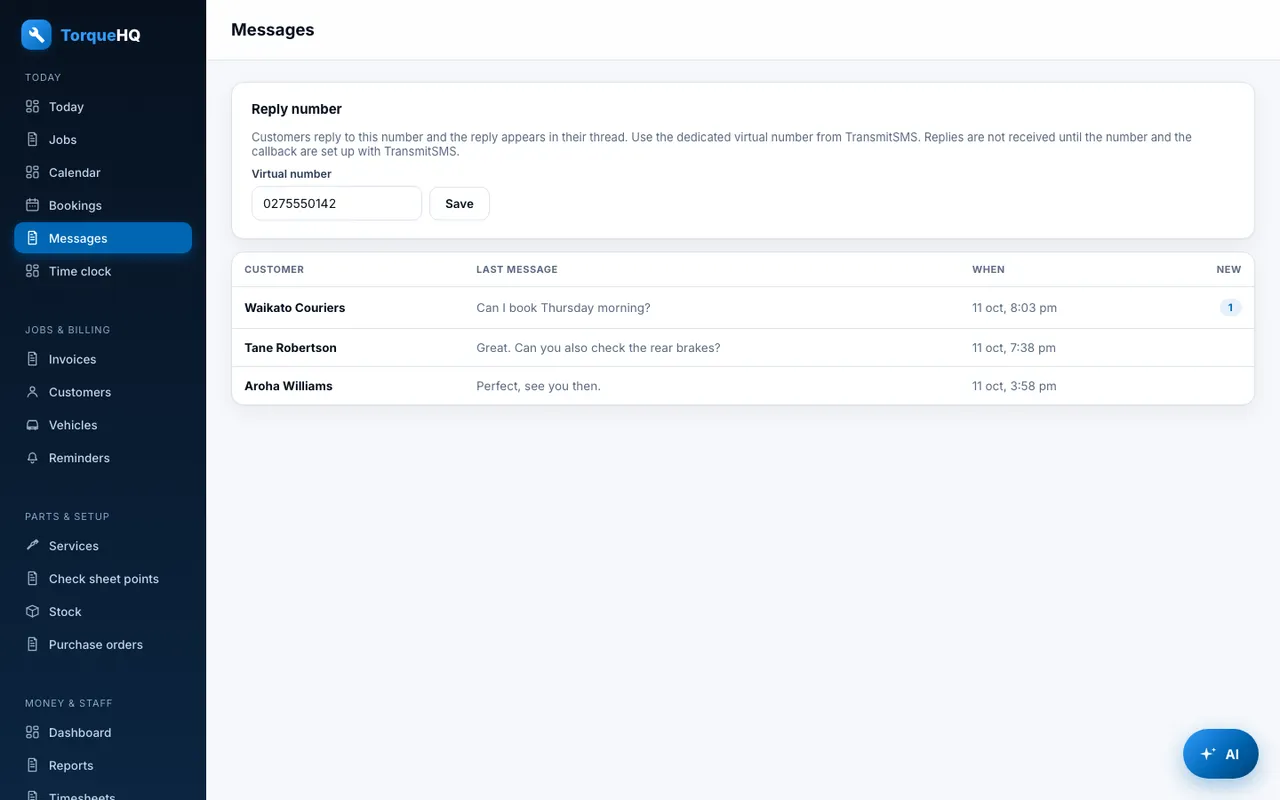
Text a customer from their page. Their reply lands in the same thread, on their open job.

Reminders: WOF and service reminders that send themselves.
Reminders. WOF and service reminders that send themselves.
Two-way texts: Reply to a customer, with the job beside it.
Two-way texts. Reply to a customer, with the job beside it.

Bookings

Let customers book themselves in.

Online booking link

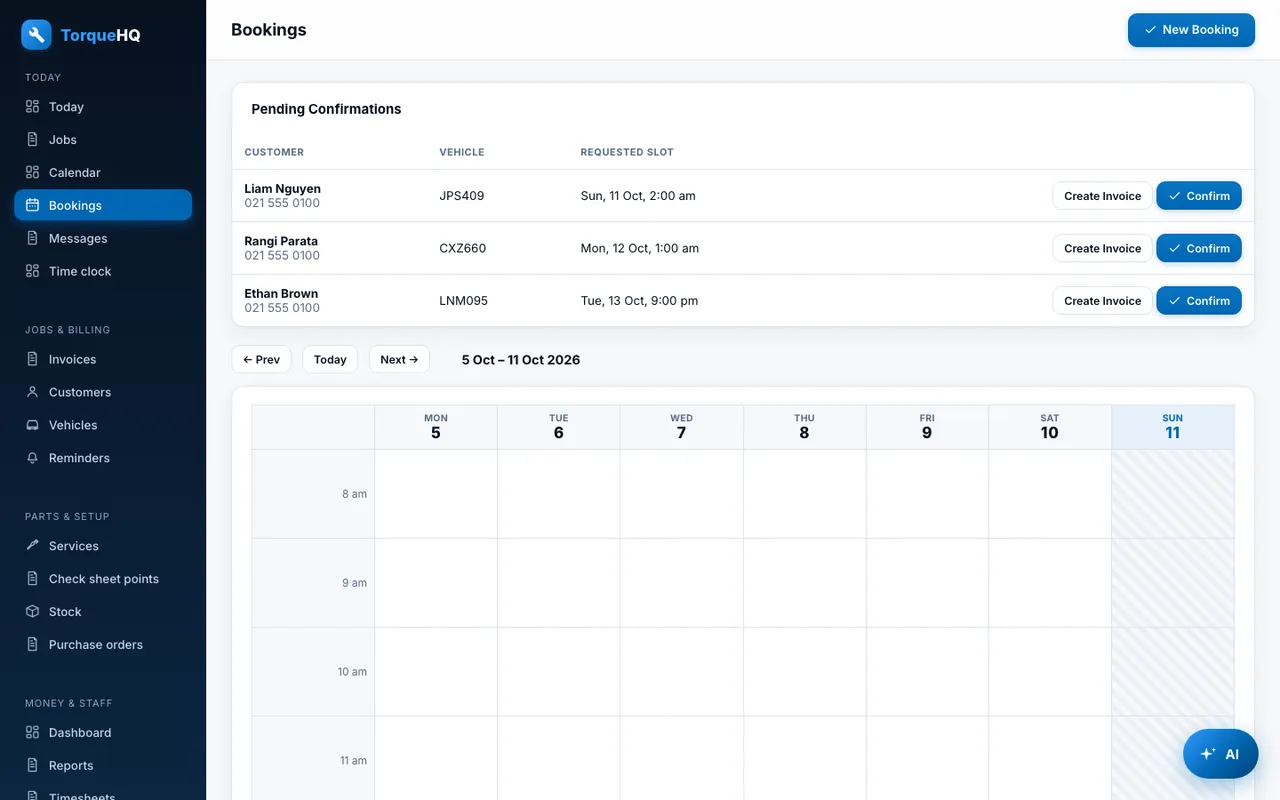
A public booking page you can share or paste into your own website.

Google Calendar sync

Booking times appear in your own Google Calendar.

Bookings: Online booking requests, ready to confirm.
Bookings. Online booking requests, ready to confirm.

Stock and purchasing

Know what you have, and order what you are short of.

Stock tracking

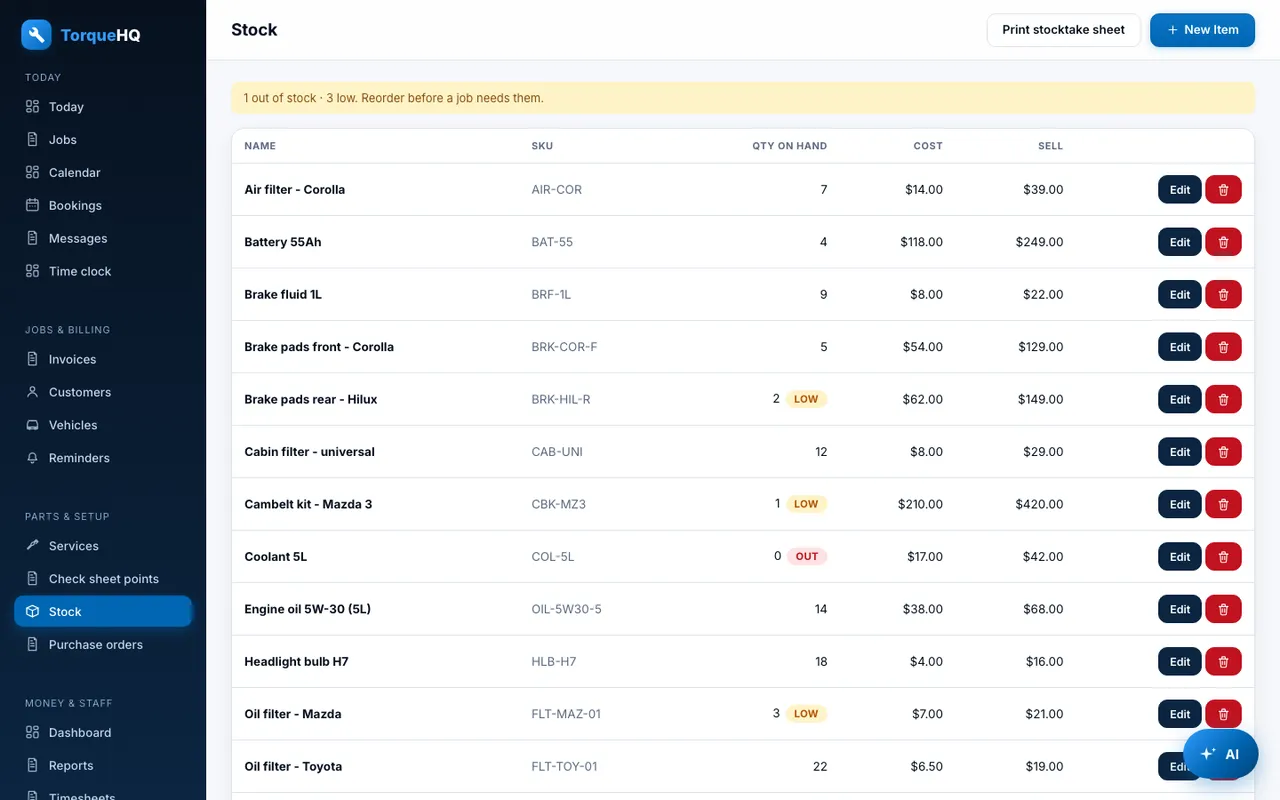
Parts on hand, cost and sell price. Stock is taken off as parts go on invoices.

Low stock alerts

Set a reorder level per part. Out-of-stock and low-stock items are flagged.

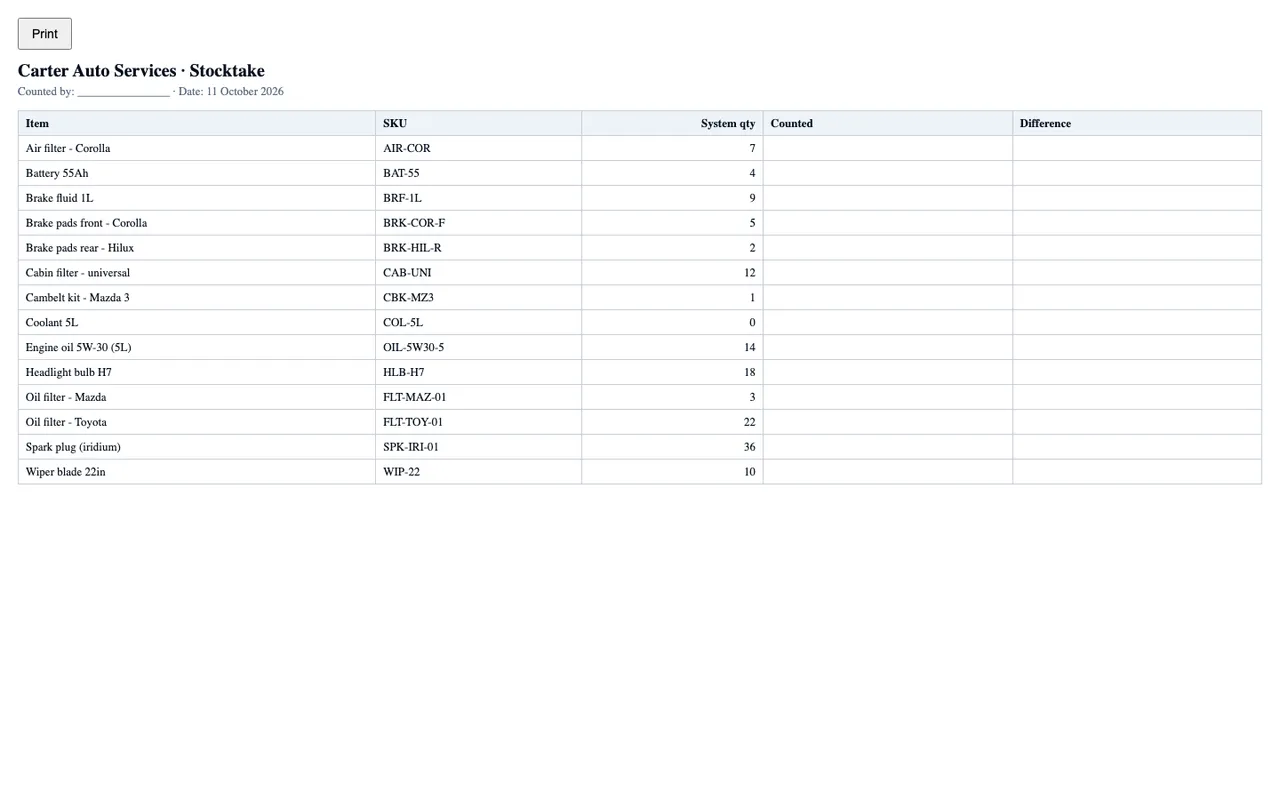
Stocktake sheet

A printable sheet to count stock by hand against the system figures.

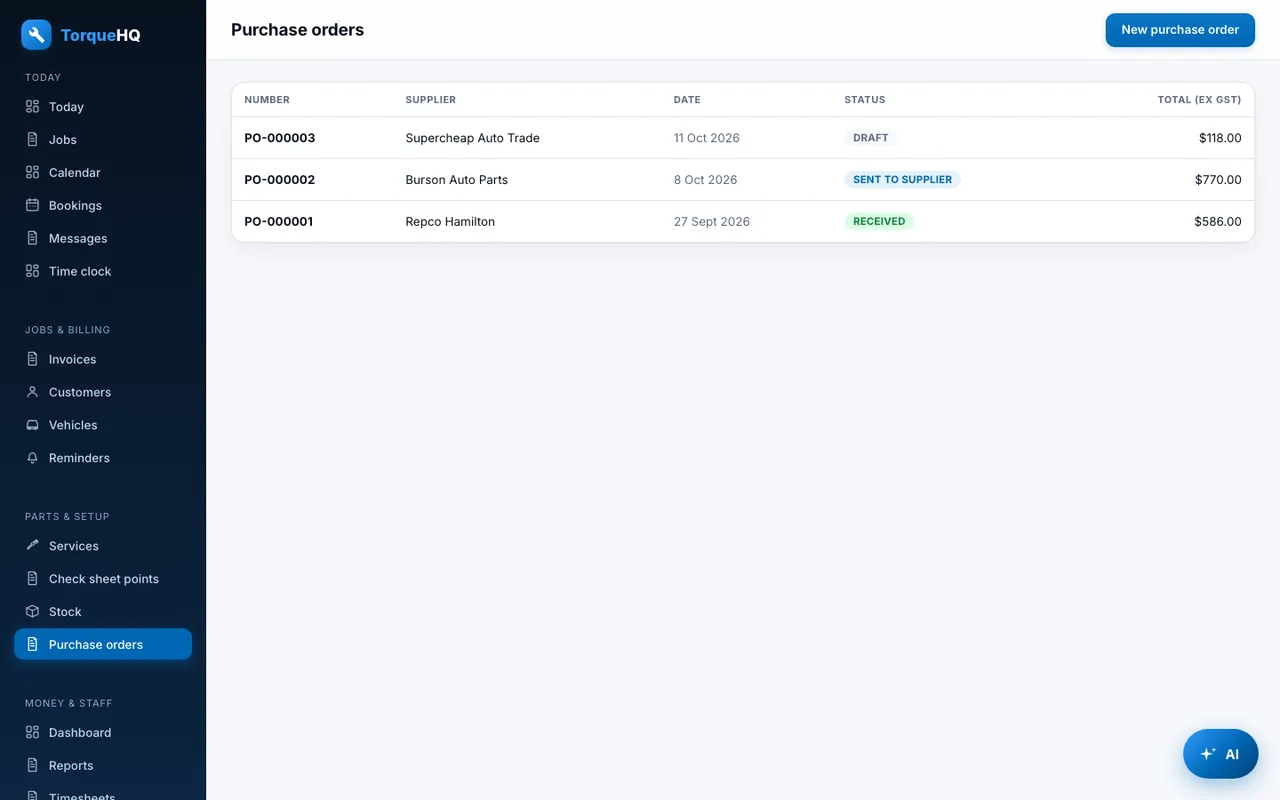
Purchase orders and suppliers

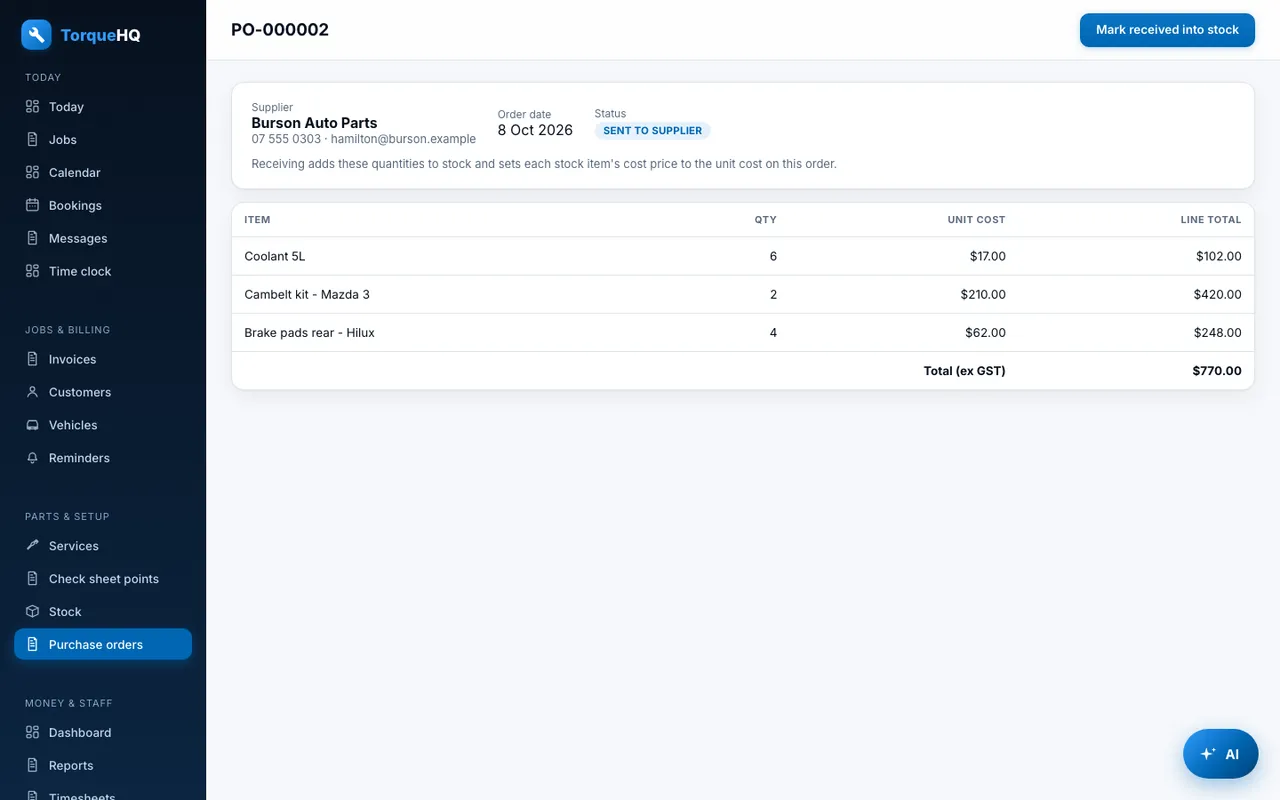
Raise an order to a supplier, mark it sent, and receive it into stock. Receiving updates each part's cost once.

Stock: Parts on hand with low and out-of-stock flags.
Stock. Parts on hand with low and out-of-stock flags.
Purchase order: Receive an order straight into stock.
Purchase order. Receive an order straight into stock.

Team, time and payroll

Staff get the screens they need, and nothing more.

Staff roles

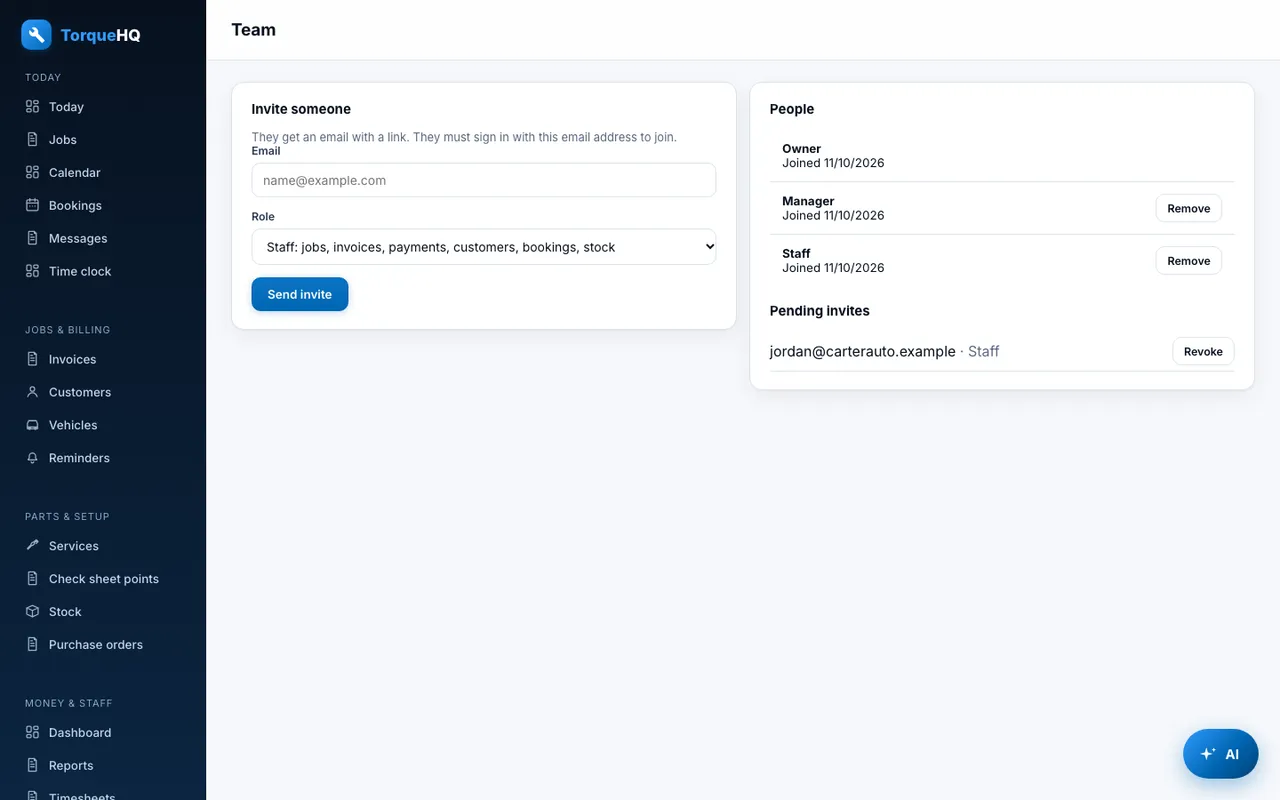
Owners, managers and staff. Managers can't change settings or the team. Staff can't see reports, purchasing or timesheets.

Invites

Invite staff by email. Invites expire after seven days and must be accepted by the invited address.

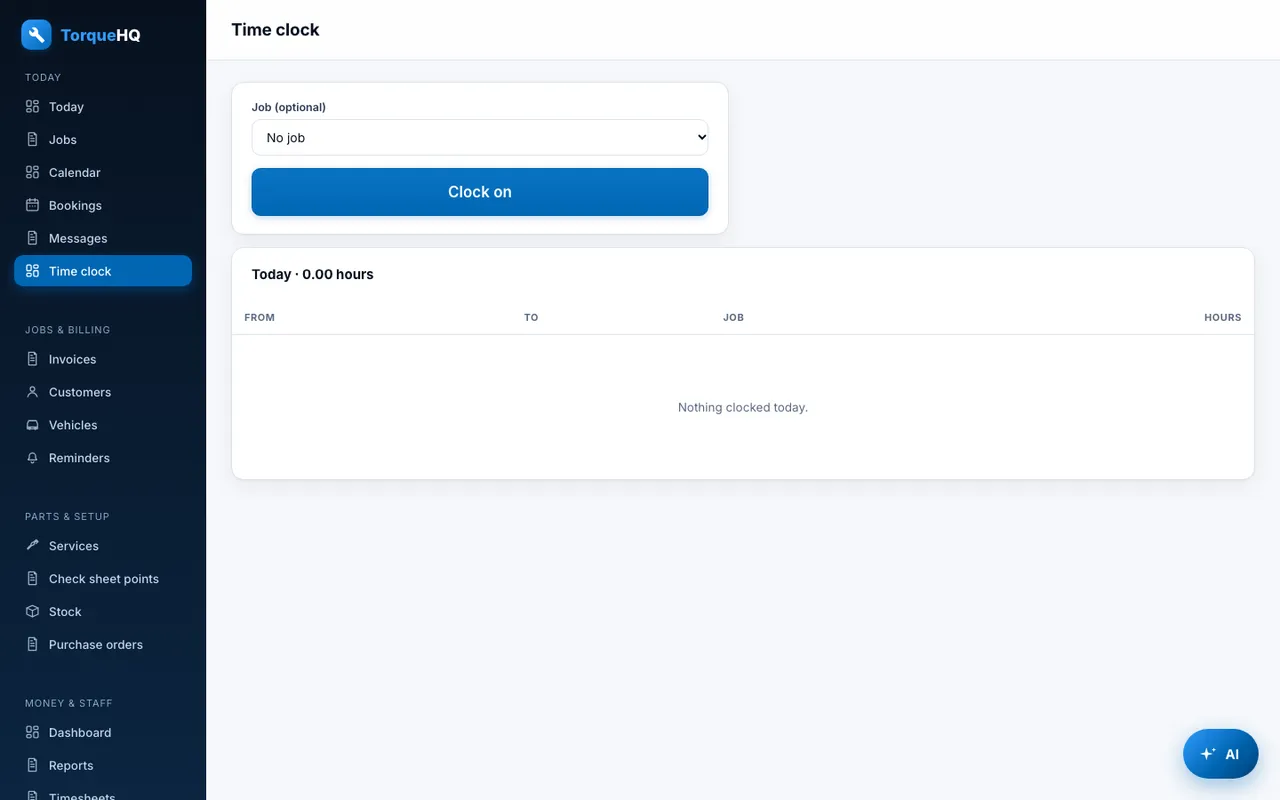
Time clock

Clock on and off, optionally against a job.

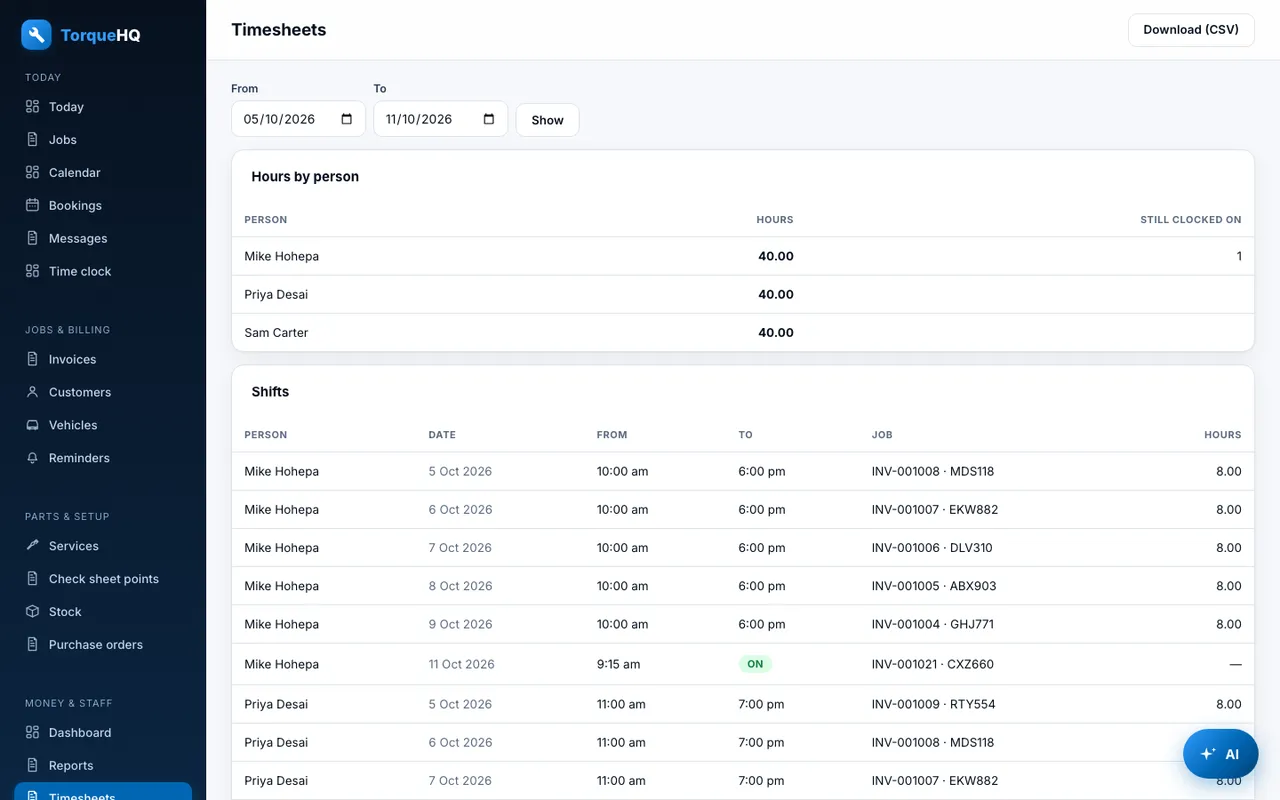
Timesheets

Hours by person and job for each pay period, with CSV download for payroll.

Team: Invite staff and give each a role.
Team. Invite staff and give each a role.
Timesheets: Hours by person and job, with CSV for payroll.
Timesheets. Hours by person and job, with CSV for payroll.

Reports

Know how the workshop is doing, and what to send your accountant.

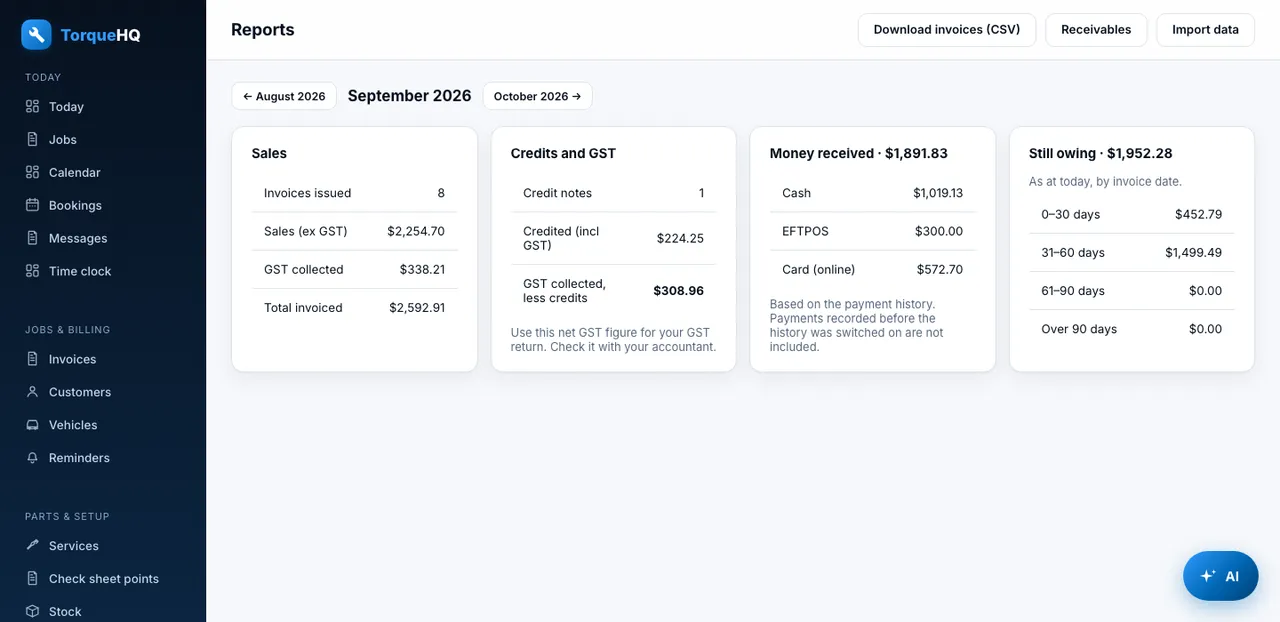
Monthly report

Sales ex GST, GST collected less credits, money received by method, and refunds.

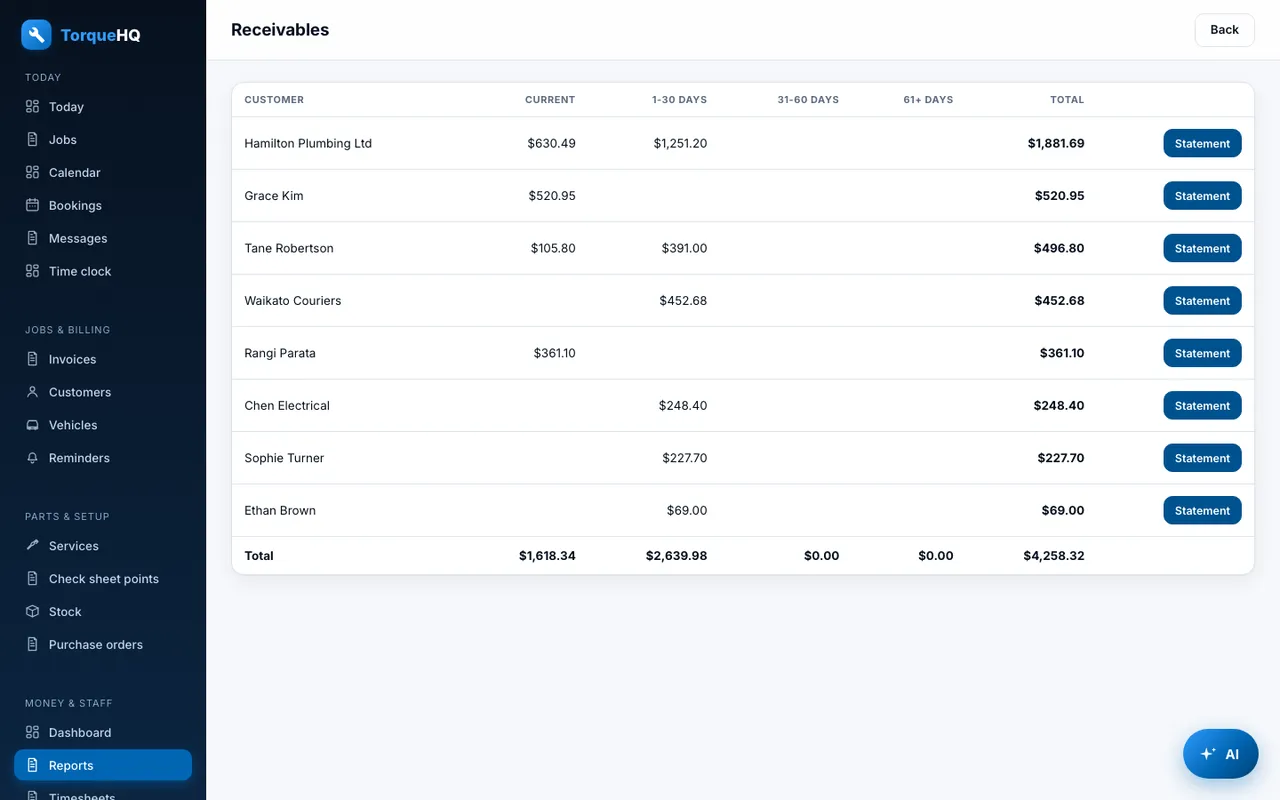
Aged receivables

What customers still owe, grouped by age.

CSV export

Every invoice for the month, ready for your accountant.

Monthly report: Sales, GST, money received and refunds.
Monthly report. Sales, GST, money received and refunds.
Aged receivables: What customers owe, grouped by age.
Aged receivables. What customers owe, grouped by age.

AI assistant

Describe the job in plain English.

Draft invoices and bookings

The assistant drafts from your own services and stock. Nothing is saved until you confirm it.

Questions about your business

Ask how much you invoiced this month, or what a customer's last job was.

Security and data

Your workshop's data stays yours.

Separate data per workshop

Each workshop's customers, vehicles and invoices are kept apart. No other workshop can see them.

Checked on every request

Each page and action checks who you are and what your role allows.

Protected photos

Check sheet photos are only shown to people signed in to that workshop.

Every screen

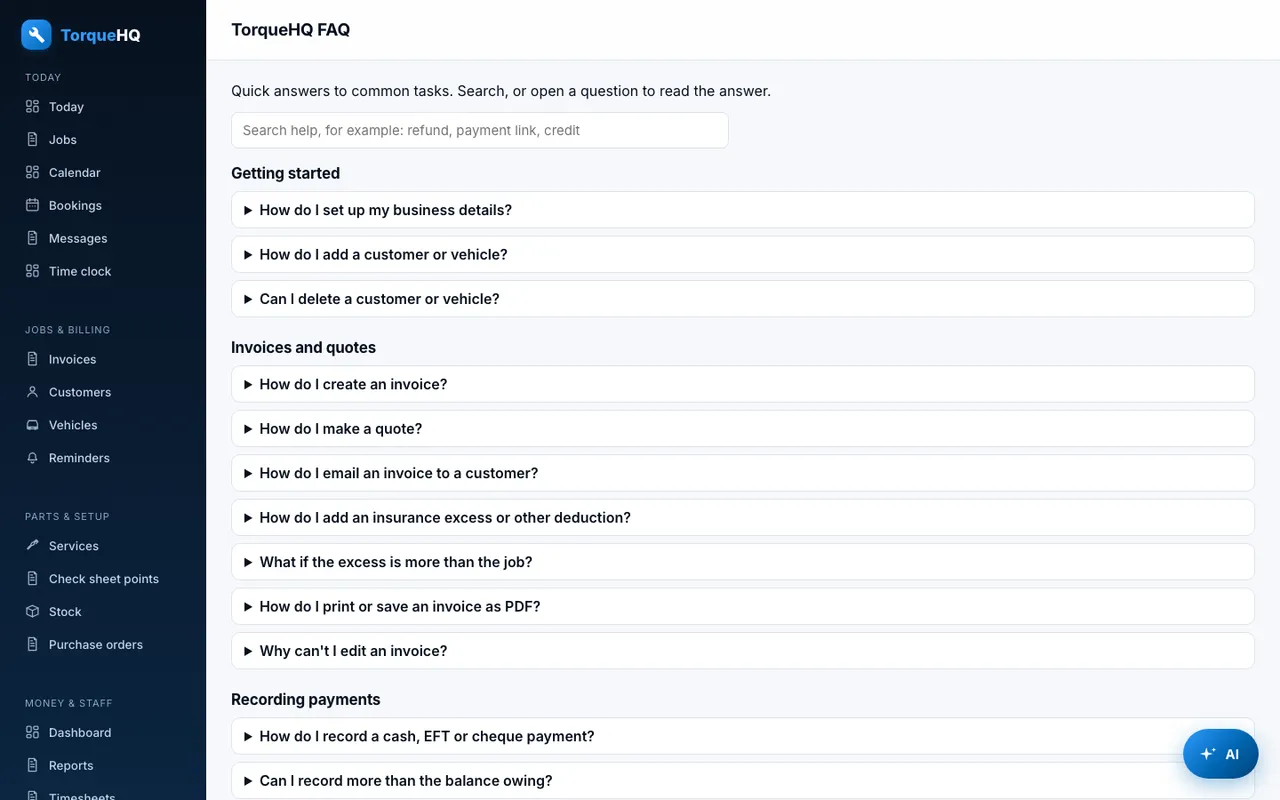
Real screens from TorqueHQ, shown with made-up demo data.

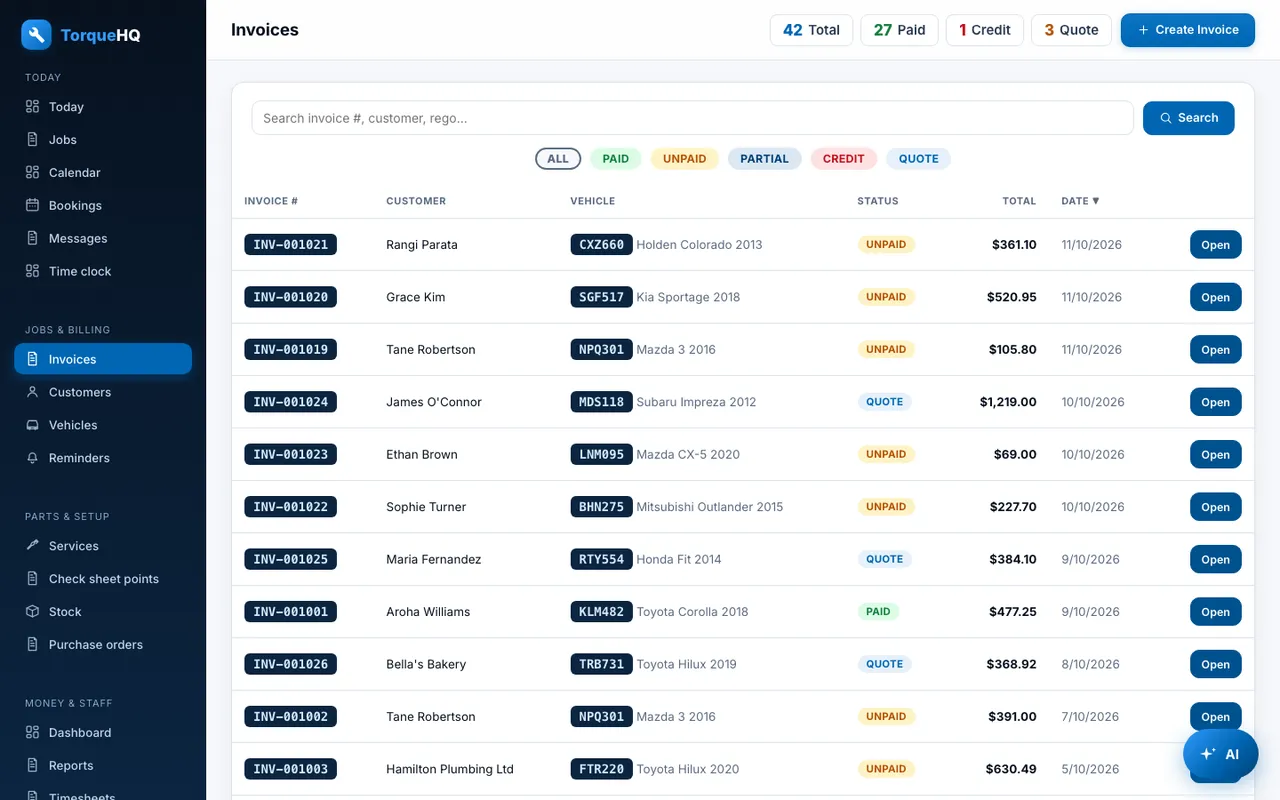
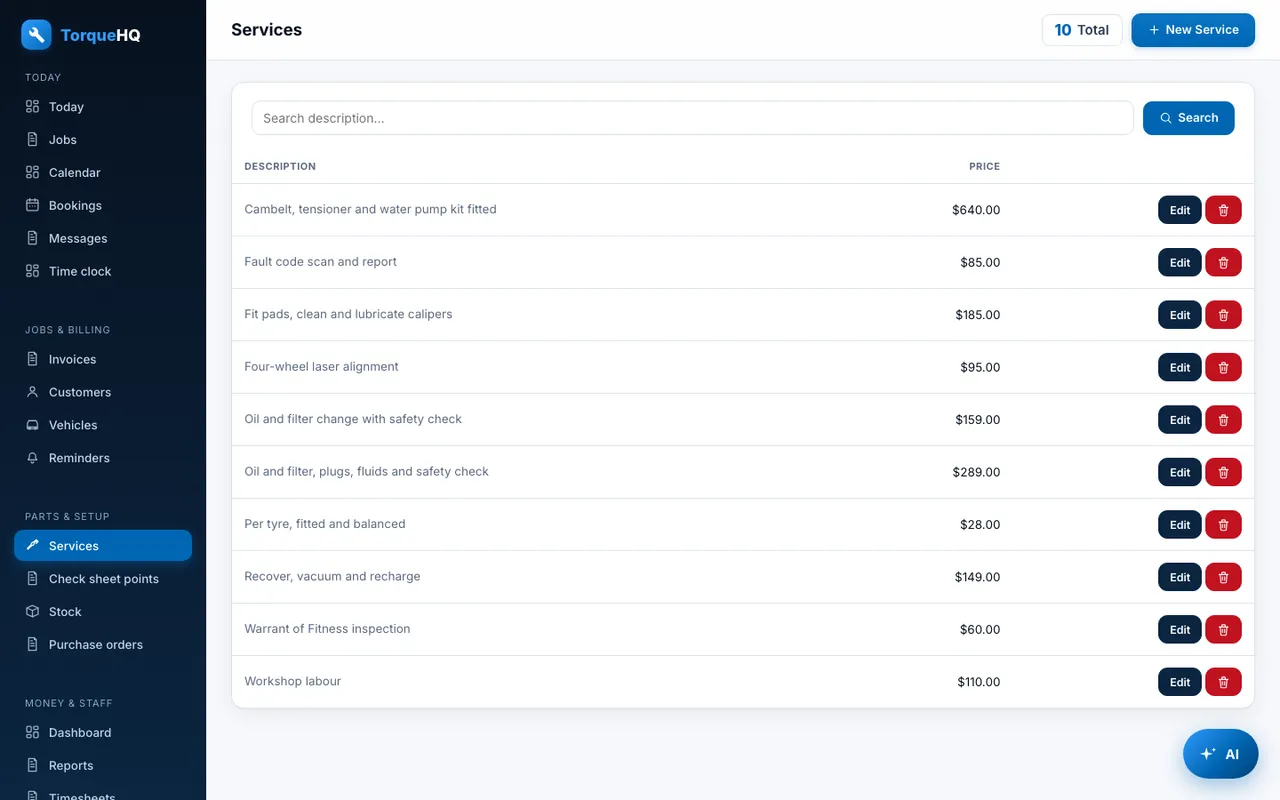
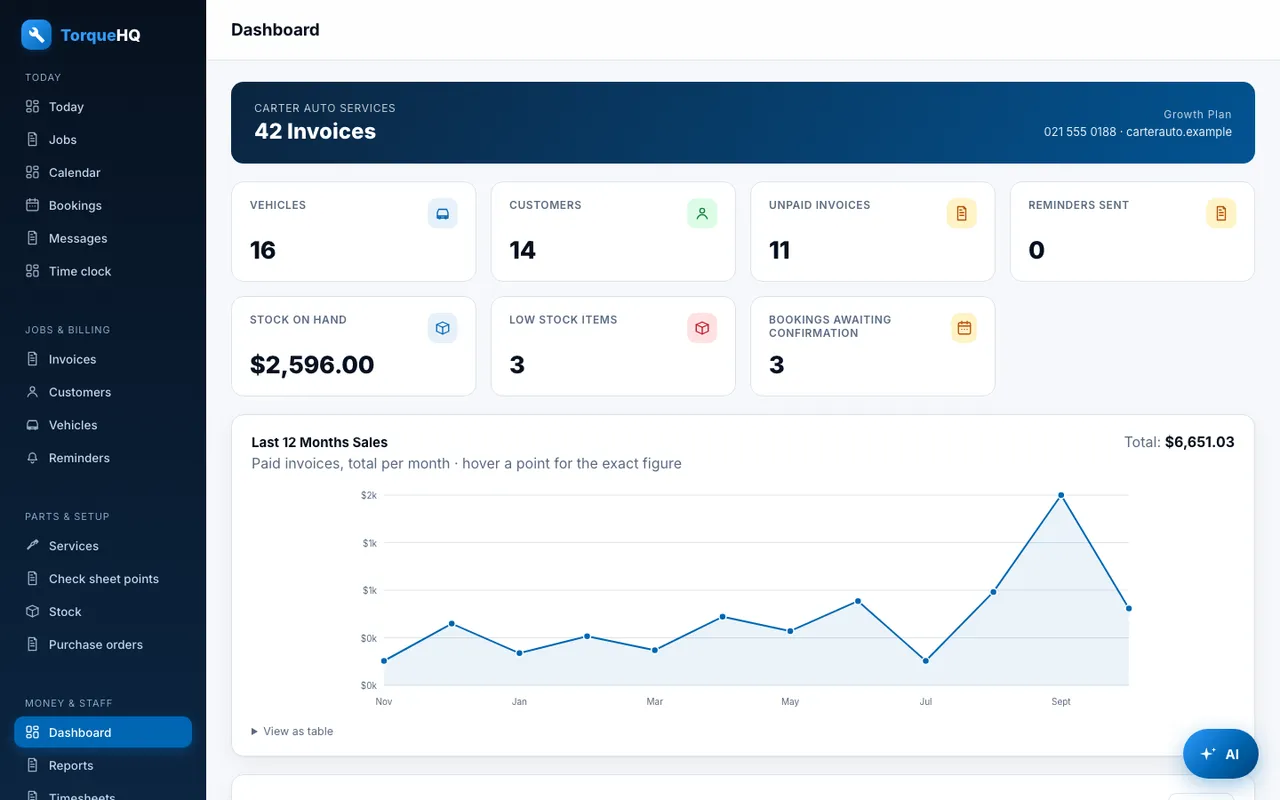
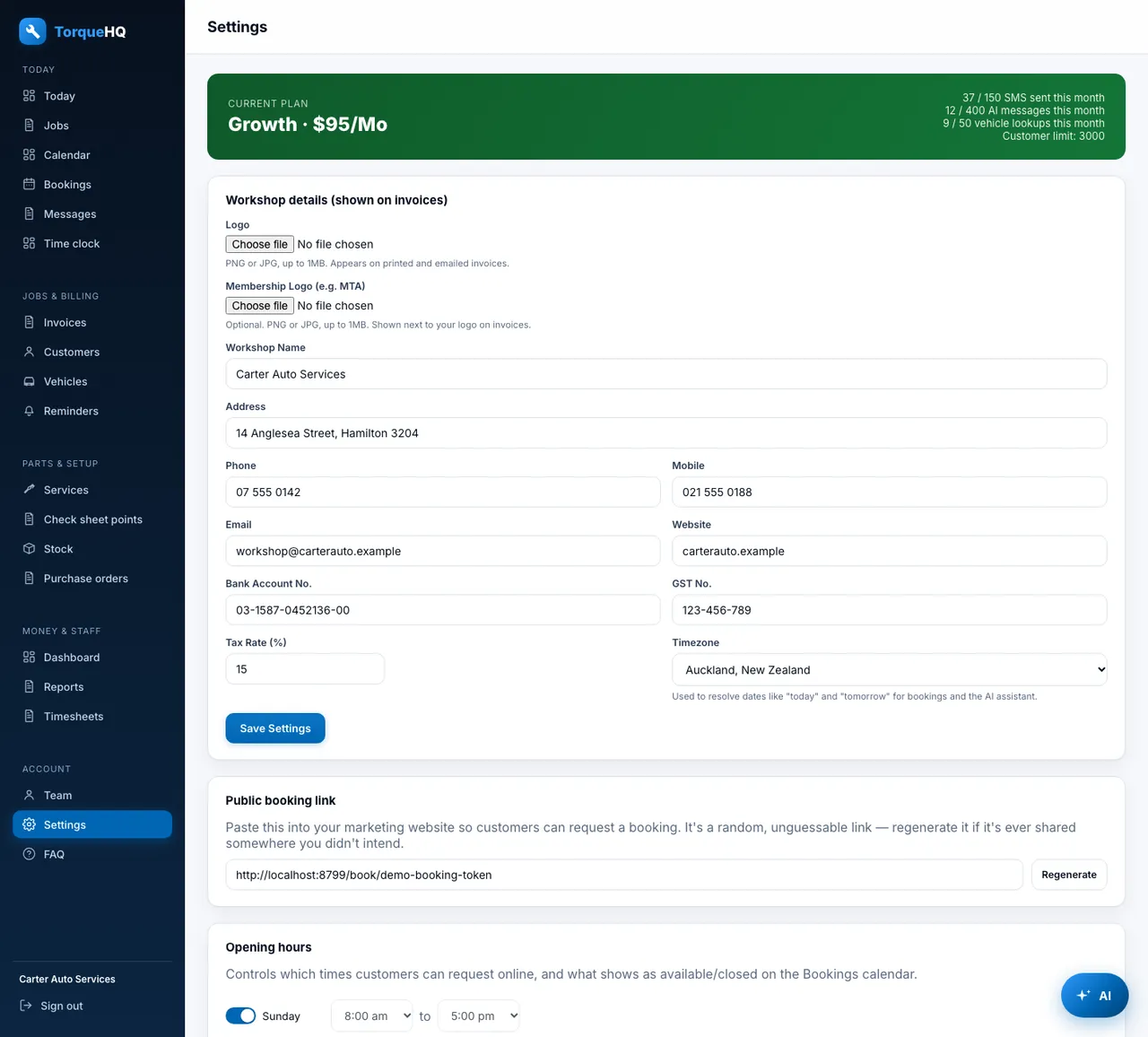
Today: Today's bookings, money owing and low stock on one screen.TodayToday's bookings, money owing and low stock on one screen.Job board: Booked in, in the workshop, ready for pickup.Job boardBooked in, in the workshop, ready for pickup.Bay calendar: A column per bay. Drag a booking to move it.Bay calendarA column per bay. Drag a booking to move it.Bookings: Online booking requests, ready to confirm.BookingsOnline booking requests, ready to confirm.Messages: Every customer text thread in one inbox.MessagesEvery customer text thread in one inbox.Two-way texts: Reply to a customer, with the job beside it.Two-way textsReply to a customer, with the job beside it.Reminders: WOF and service reminders that send themselves.RemindersWOF and service reminders that send themselves.Customers: Search, star ratings and price tiers.CustomersSearch, star ratings and price tiers.Customer: Vehicles, invoices and account terms for one customer.CustomerVehicles, invoices and account terms for one customer.Customer statement: Every unpaid invoice and how overdue it is.Customer statementEvery unpaid invoice and how overdue it is.Vehicles: WOF, CoF and service due dates for every vehicle.VehiclesWOF, CoF and service due dates for every vehicle.Vehicle: Full service and invoice history for one car.VehicleFull service and invoice history for one car.Invoices: Filter by status and see who owes what.InvoicesFilter by status and see who owes what.Invoice: Items, margin, vehicle details and take-payment actions.InvoiceItems, margin, vehicle details and take-payment actions.Quote: Quotes the customer can approve by link.QuoteQuotes the customer can approve by link.Check sheet: OK, attention or N/A on every point, with photos.Check sheetOK, attention or N/A on every point, with photos.Services: Your price list, ready to drop onto an invoice.ServicesYour price list, ready to drop onto an invoice.Stock: Parts on hand with low and out-of-stock flags.StockParts on hand with low and out-of-stock flags.Stocktake sheet: A printable sheet to count against the system.Stocktake sheetA printable sheet to count against the system.Purchase orders: Draft, sent and received orders by supplier.Purchase ordersDraft, sent and received orders by supplier.Purchase order: Receive an order straight into stock.Purchase orderReceive an order straight into stock.Check sheet points: Add your own points to the standard 22.Check sheet pointsAdd your own points to the standard 22.Time clock: Clock on and off, optionally against a job.Time clockClock on and off, optionally against a job.Timesheets: Hours by person and job, with CSV for payroll.TimesheetsHours by person and job, with CSV for payroll.Team: Invite staff and give each a role.TeamInvite staff and give each a role.Dashboard: Twelve months of sales at a glance.DashboardTwelve months of sales at a glance.Monthly report: Sales, GST, money received and refunds.Monthly reportSales, GST, money received and refunds.Aged receivables: What customers owe, grouped by age.Aged receivablesWhat customers owe, grouped by age.CSV import: Bring customers, vehicles and stock across.CSV importBring customers, vehicles and stock across.Settings: Your business details, hours, Xero, Stripe and Google Calendar.SettingsYour business details, hours, Xero, Stripe and Google Calendar.Help: Answers to common questions, built in.HelpAnswers to common questions, built in.