AI-assisted workshop management

Run your workshop, not your paperwork.

Jobs, bookings, GST invoices, payments, stock, check sheets, reminders and reports in one place — with an AI assistant that drafts invoices and bookings for you. Built for New Zealand mechanics, hosted securely, and ready in minutes.

No lock-in contractLive in minutesBuilt for NZ GST
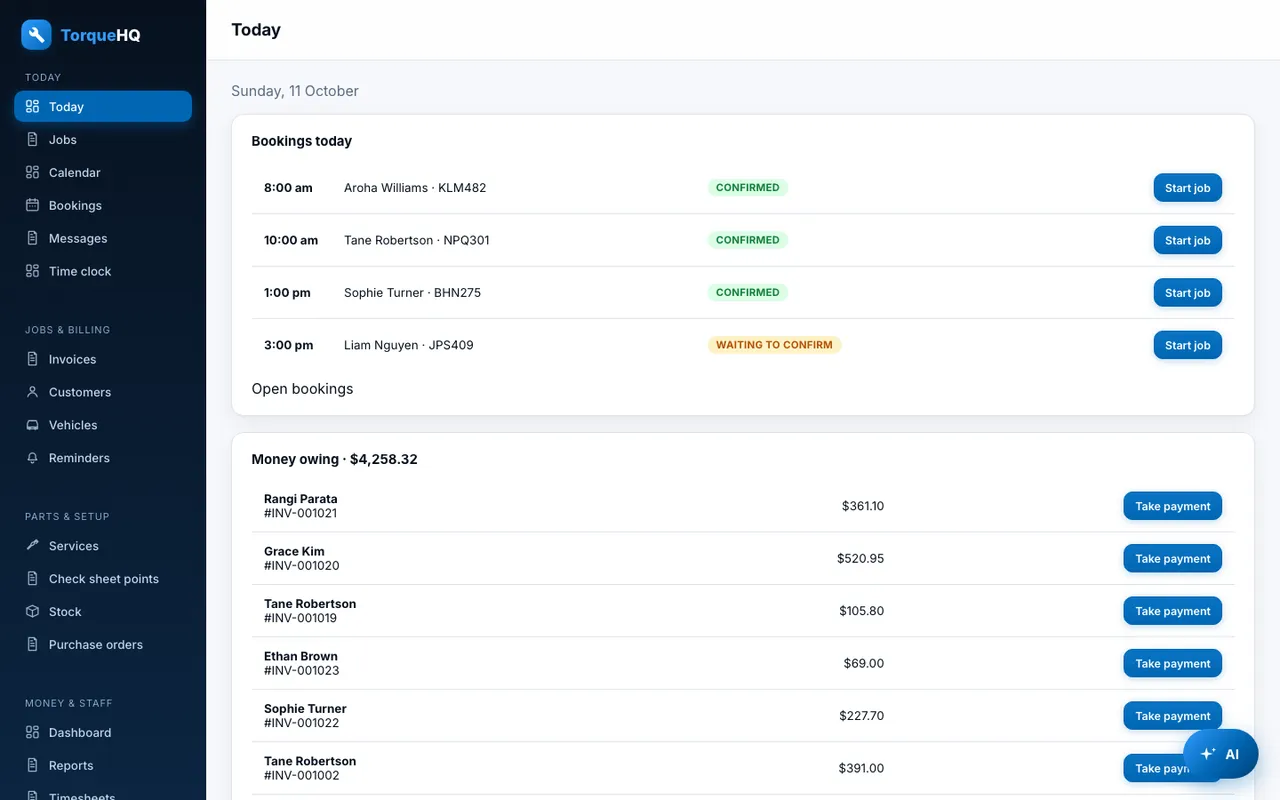
TorqueHQ Today screen: bookings, money owing and low stock
Every workshop's data is isolated — nothing is ever shared across tenants.
Hosted on Cloudflare's global network for fast, reliable access anywhere.
Built for NZ workshops: GST, WOF, CoF and the way a workshop really runs.
GST number, tax rate and bank details built in — invoices that are audit-ready.

Built around how a workshop actually runs

The AI assistant is the headline act, but every core workflow got the same attention. See every feature.

Describe the job. Get a ready-to-send invoice.

Tell the assistant what work was done in plain English — "oil change and replaced front brake pads on the Corolla, rego ABC123" — and it drafts the full invoice, pulling real prices from your services and stock catalog.

  • Nothing is ever saved without you confirming it first
  • Looks up customers, vehicles and past service history for you
  • Also answers questions like "how much did we invoice this month"
did an oil change and replaced front brake pads on the Corolla, rego ABC123
Found ABC123 — 2018 Toyota Corolla, John Smith. I've drafted an invoice: Oil Change ($58.00) + Front Brake Pads ($245.00). Want me to create it?

Reminders that send themselves.

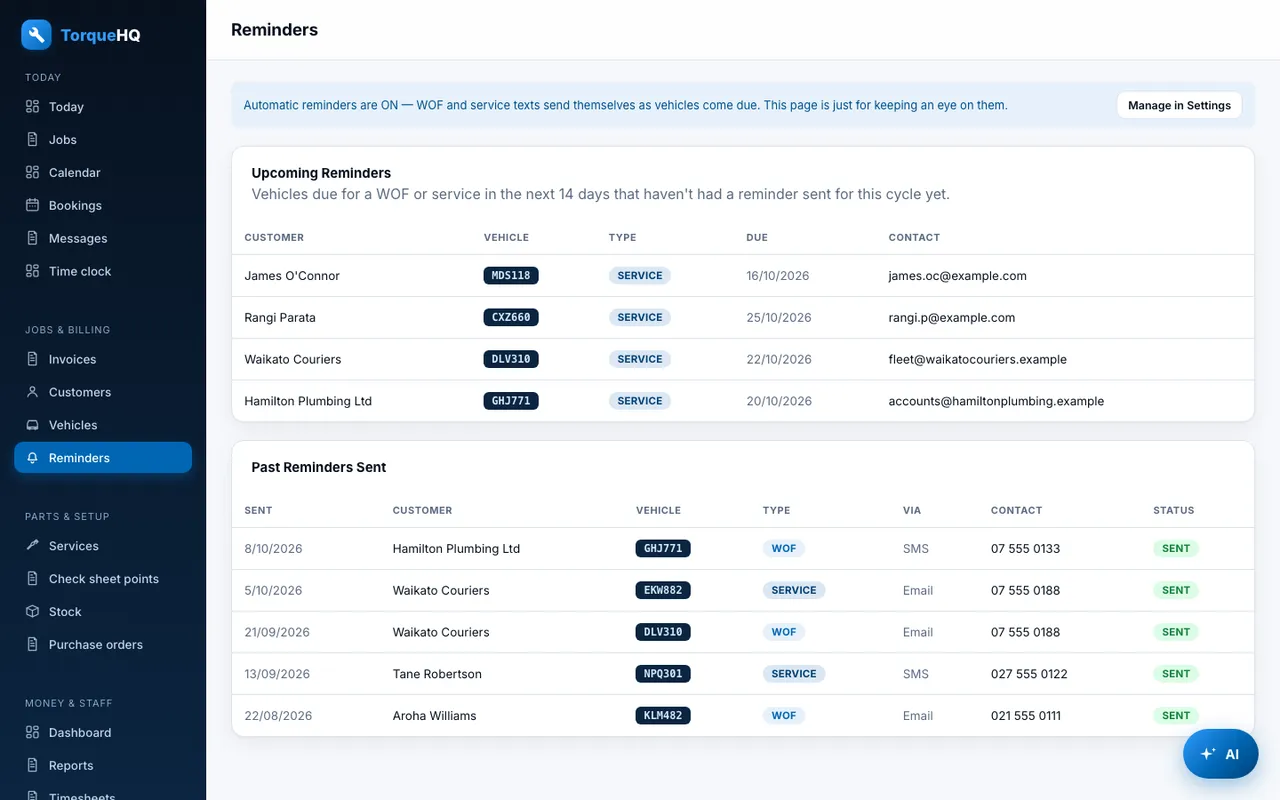
As soon as a vehicle's WOF or service comes due, a text goes out automatically — no spreadsheet to check, no list to work through every morning. Each customer only ever gets one message per visit.

  • Runs quietly in the background, no manual trigger needed
  • Pulls straight from each vehicle's own service history
  • Stops automatically once your monthly plan quota is reached
TorqueHQ Reminders screen: upcoming and past WOF and service reminders

GST-ready invoices, out the door in seconds.

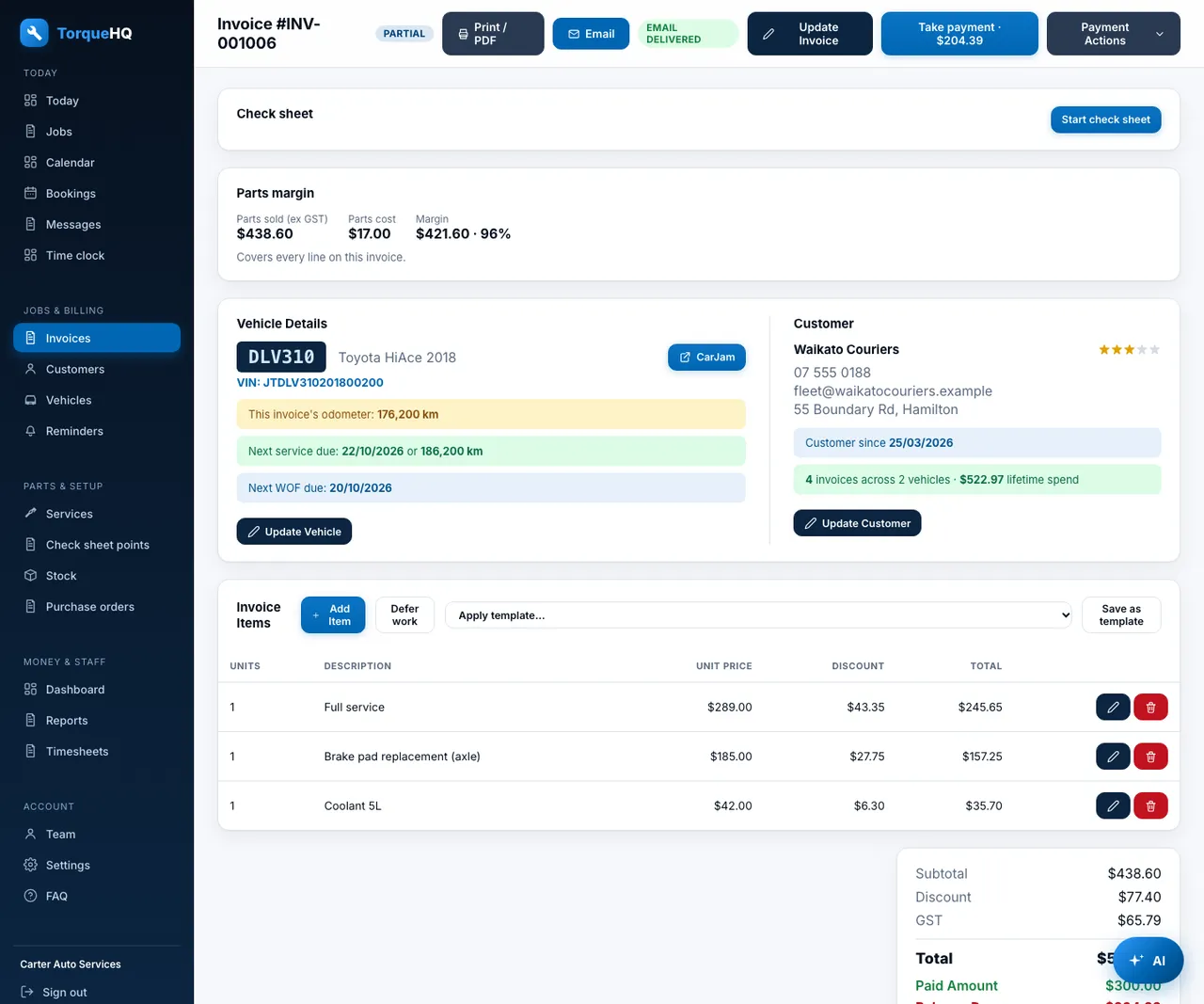
Enter a rego or VIN and vehicle details autofill. Build the invoice from your own services and stock at the prices you set, then print a branded PDF or email it straight to the customer.

  • Your logo, GST number, and bank account on every invoice
  • Quotes, part-paid invoices, and credits all handled
  • Full history kept per vehicle and per customer
TorqueHQ invoice screen with items, margin and vehicle details

One system for the whole workshop

From the car rolling in to the money landing in your account. Browse every feature.

Jobs and the workshop floor

See where every car is, and what is waiting on whom.

7 features →

Invoicing and payments

GST-ready invoices, quotes and credits, and every payment recorded.

9 features →

Customers and vehicles

Every car keeps its own history.

6 features →

Check sheets

A digital check sheet on every job, with photos.

3 features →

Reminders and texts

Customers hear from you without you chasing them.

4 features →

Bookings

Let customers book themselves in.

2 features →

Stock and purchasing

Know what you have, and order what you are short of.

4 features →

Team, time and payroll

Staff get the screens they need, and nothing more.

4 features →

Reports

Know how the workshop is doing, and what to send your accountant.

3 features →

AI assistant

Describe the job in plain English.

2 features →

Security and data

Your workshop's data stays yours.

3 features →

Connects to the tools you already use

Connect your own accounts. You stay in control of your data.

XeroInvoices and payments sent to your organisation
StripeCard payment links with part payments
CarJamRego and VIN lookup for NZ vehicles
Google CalendarBookings appear in your own calendar
SMS & emailReminders, quotes and invoices to customers

Up and running in three steps

No onboarding calls required — most workshops are invoicing the same day.

Add your customers & vehicles

Enter a rego or VIN and the details autofill. Every vehicle keeps its own service and WOF history from day one.

Invoice in seconds

Build it yourself from your services and stock, or describe the job in plain English and let the AI assistant draft it for you to confirm.

Get paid, reminders send themselves

Email or print a branded PDF invoice. WOF & service SMS reminders fire automatically as each vehicle comes due — no list to maintain.

Common questions

Is our workshop's data secure?

Yes. Every workshop's records are isolated at the database level — no other workshop can ever see your customers, vehicles or invoices. Everything runs on Cloudflare's global network with encrypted storage, and every page and action checks who you are and what your role allows.

Can my staff use it too?

Yes. Invite staff by email and give them a role: owner, manager or staff. Staff see the job board, bookings and time clock, but not reports, purchasing or timesheets.

Does it work with Xero?

Yes. Connect your Xero organisation and invoices are sent across as drafts for you or your accountant to review, with payments sent too.

How do customers pay?

Record cash, EFTPOS, bank transfer or cheque in two taps, or send a Stripe card payment link. Part payments, refunds and reversals are all tracked.

Can I bring my existing customers and stock across?

Yes. Import customers, vehicles and stock from a CSV file, with duplicates flagged so you don't end up with two of the same car.

Do I need a contract?

No. There is no lock-in contract, and you can cancel any time by emailing us.